 Getting Started
 Products
 Designs
 Templates
 Configuration
 Printing
 Orders
 Inventory Management
 Settings
 Packages
 Uninstallation
 Tutorials
 FAQ
FAQHow to Embed InkyBay on Your Store
To display the InkyBay Product Personalizer on your Shopify storefront, you need to embed the app into your active Shopify theme. Please follow the steps below to complete the setup:
Step 1: Access the Embed Option
From your InkyBay admin dashboard, click on the “Embed Now” button.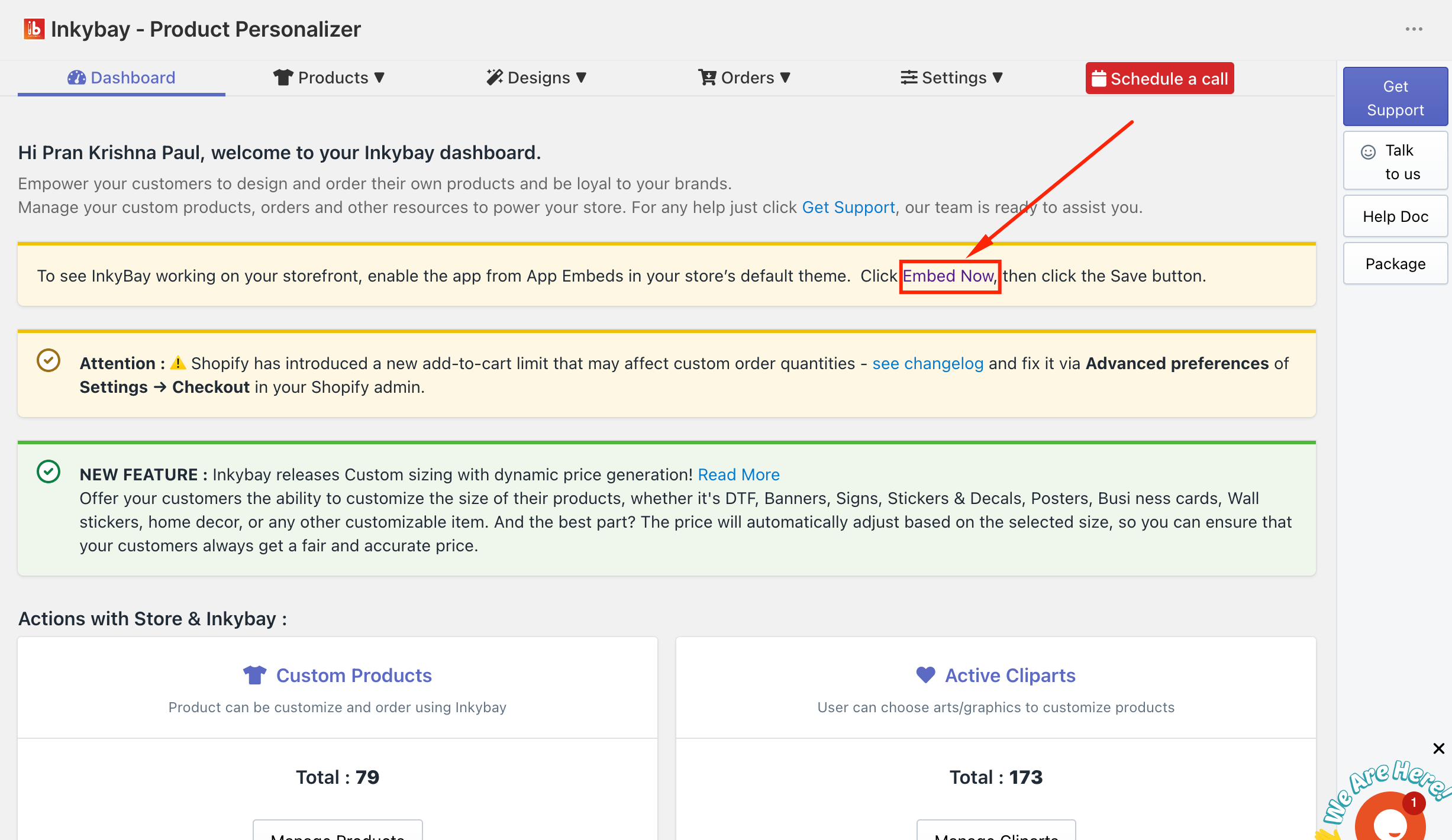
Step 2: Enable App Embed in Shopify Theme
After clicking the button, you will be redirected to the Shopify theme editor’s App Embed section.
- Locate InkyBay Product Personalizer
- Enable the toggle to activate it
- Click Save to apply the changes
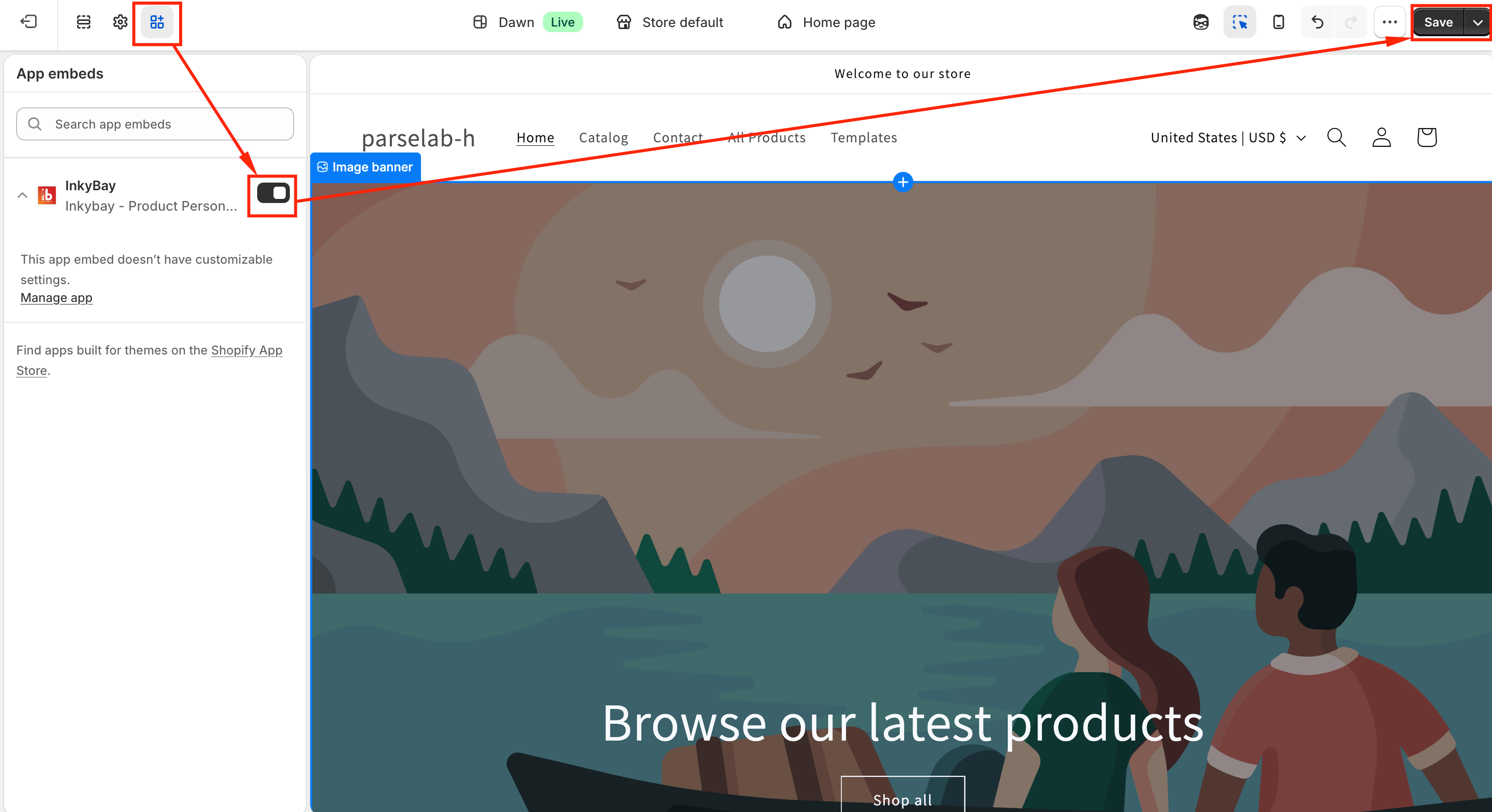
Step 3: Confirm Activation
Once enabled, return to your InkyBay dashboard. You will see the confirmation message:
“Your app is embedded for the storefront.” 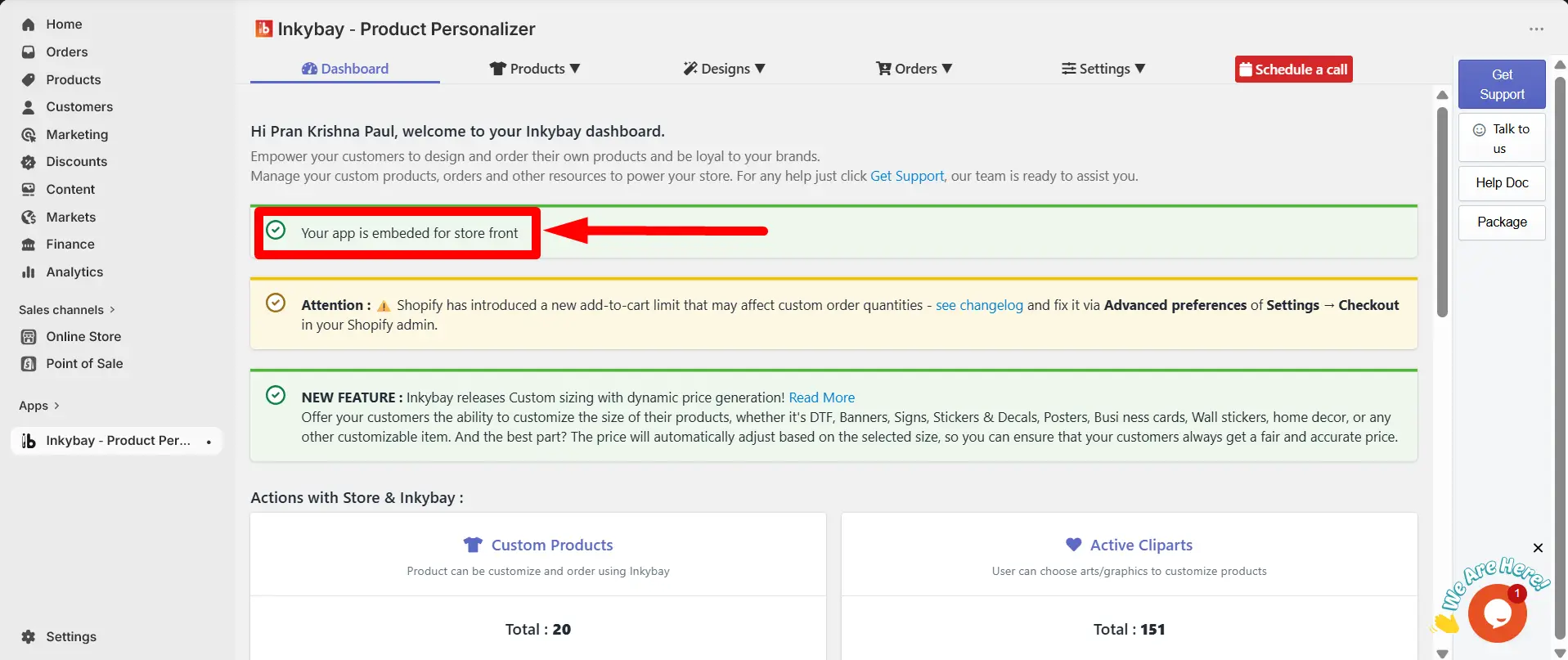
This means you have successfully embedded the InkyBay Product Personalizer app, and it is now active on your storefront.
Still, facing difficulties or need help? Feel free to contact us. You can also reach us:
-
InkyBay app Live chat
-
Support ticket from the InkyBay app
-
Email to support@productsdesigner.com