 Getting Started
 Products
 Designs
 Templates
 Configuration
 Printing
 Orders
 Inventory Management
 Settings
 Packages
 Uninstallation
 Tutorials
 FAQ
FAQView and Manage Your Subscription Plans
You can check your current package features, available storage, custom product numbers, and the order limits you've received in the InkyBay dashboard.
Follow the steps below to check out your current plan and its usage limits:
Step 1: Go to Settings and click on the "My Subscription" option to view your current package.
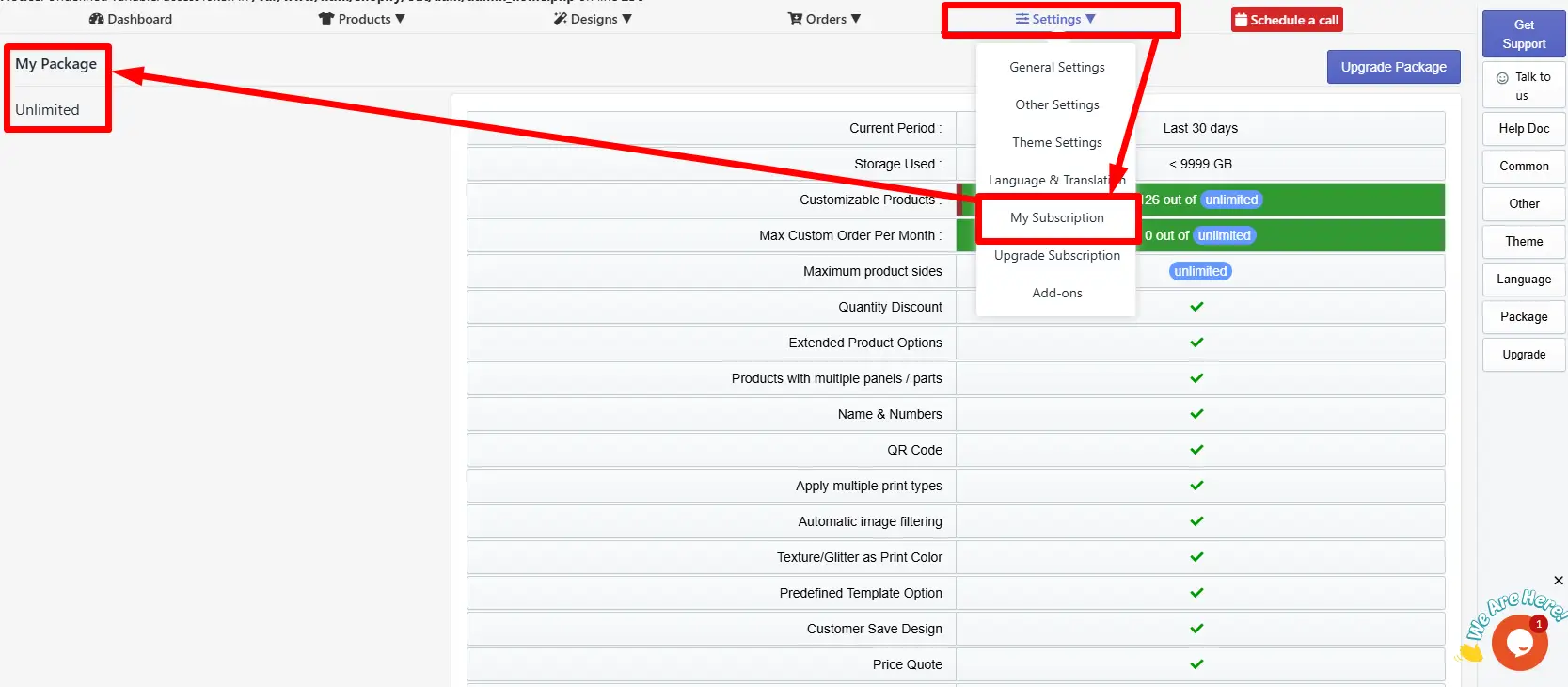
Step 2: On the My Package page, you get a detailed overview of your active plan and feature limitations.
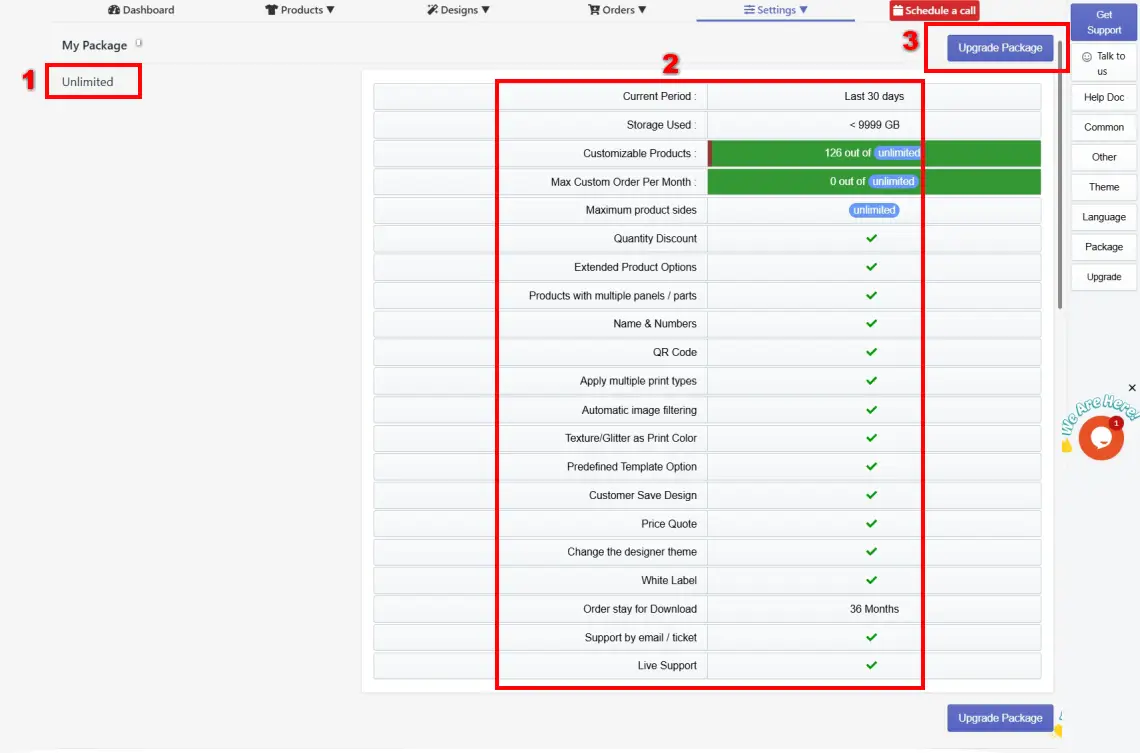
Current Package or Plan Name:
This area displays the name of your current subscription plan. In this case, the store is on the "Unlimited" plan, which is the highest available plan.
Features and usage limits: The second area represents the list of features provided by the app and the limits of each feature in the current plan. This section includes:
The current period is the last 30 days. This cycle is used for tracking your plan usage, billing, and resetting your usage statistics.
Storage used shows the available storage limit of your current plan.
Customizable products show the available customizable products in your current plan and the limits.
Max custom orders per month shows the total orders and the limit of the maximum order in the current period.
Maximum sides shows the number of sides you can use for a product in your current plan.
For the other features below, a tick mark (✓) defines the features that are available in your package. And the cross mark (x) will define that the feature is not available in your current plan, and you have to upgrade your package to get that feature.
[Note: My current package is “Unlimited”. That’s why all features are available, and no cross sign is shown.]
Order stay for download - 36 months defines that your custom order files are stored and available for download for up to 3 years. This time duration varies depending on different packages.
- 3. Upgrade Package button: It will allow you to quickly navigate to the "Upgrade Subscription" page, where you can upgrade or downgrade your current subscription plan.
Still, facing difficulties or need help? Feel free to contact us. You can also reach us:
InkyBay app Live chat
Support ticket from the InkyBay app
Email to support@productsdesigner.com