 Getting Started
 Products
 Designs
 Templates
 Configuration
 Printing
 Orders
 Inventory Management
 Settings
 Packages
 Uninstallation
 Tutorials
 FAQ
FAQHow to Uninstall InkyBay
If you’re considering deleting the InkyBay app from your Shopify store, it’s important to understand that this action is permanent. So, before proceeding, please review the steps and implications carefully.
Important considerations before the app deletion
Before uninstalling the InkyBay app, you must go through the following details:
Export design data & assets: Ensure you’ve downloaded or exported order files, save designs, quotations, etc.
Theme code cleanup: Remove the app-created 3 pages: product customizer, clipart designs, and design ideas from your Shopify store pages.
Product functionality: If you are using InkyBay for personalized products, ensure you have an alternative way to manage custom orders to prevent customer service issues.
Billing & subscription: After uninstalling the app, your subscription is canceled automatically. And the charges apply only to the days you used the app. It is recommended that you check your Shopify Billing.
Reversion of product pages: Check your product pages to ensure the default Shopify “Add to Cart” functionality returns to normal and there are no remaining visual bugs from the customization tool.
***If you are a free trial user, you may not need to consider these factors. But for paid users who already do a custom product business, ensure go through all the above-mentioned factors to run a smooth business. ***
How to uninstall the app from your Shopify store
To uninstall the app from your store, please follow the steps below:
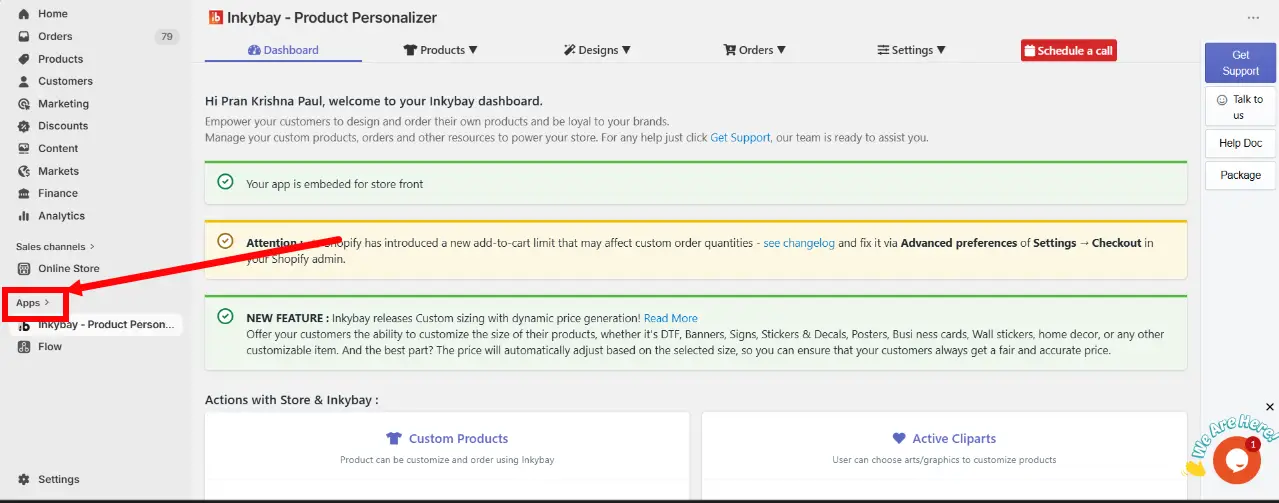
Step 1: Navigate to your Shopify admin and click Apps from the left menu.
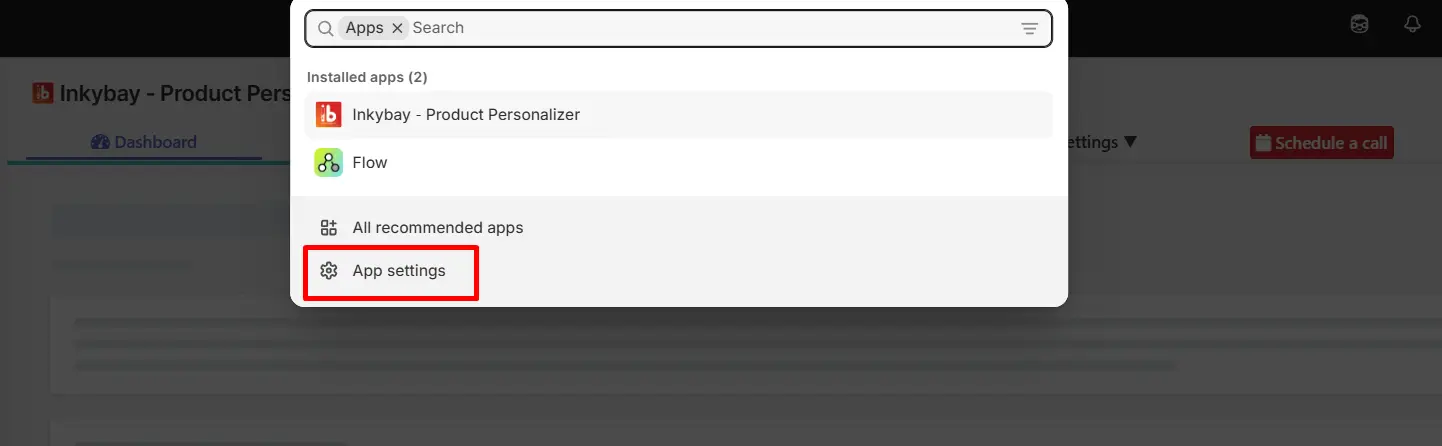
Step 2: A pop-up window will appear showcasing all your installed apps. Click on the App Settings.
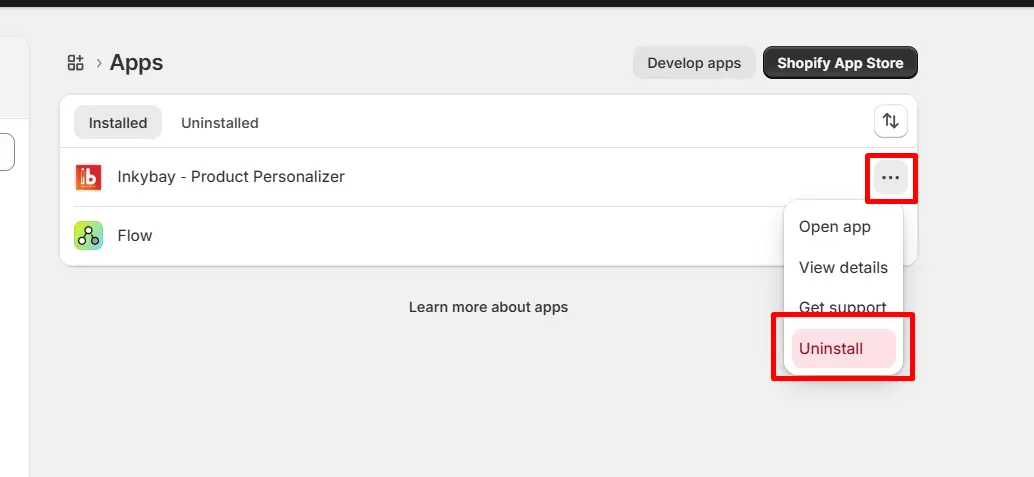
Step 3: In the APP Settings window, you will see Inkybay - Product Personalizer APP.
Click the three-dot icon on the right side of the app.
Click Uninstall from the dropdown menu.
Want to install the InkyBay app again? Look at the Installation guide now.
Still, facing difficulties or need help? Feel free to contact us. You can also reach us:
InkyBay app Live chat
Support ticket from the InkyBay app
Email to support@productsdesigner.com