Inkybay comes with custom quote features that let customers request personalized pricing, no cart or order required.
After placing a quote request, you (admin) will get an email notification with the details. You can set the email address under general settings, where you want to get the notification.
From the app admin, you can view all customer-submitted quote requests, including customer information, their message, and design details. You can also view and download the submitted design to review it before sending the customer a custom price quote.
So, let’s get started.
To view and download a quote file, follow these steps:
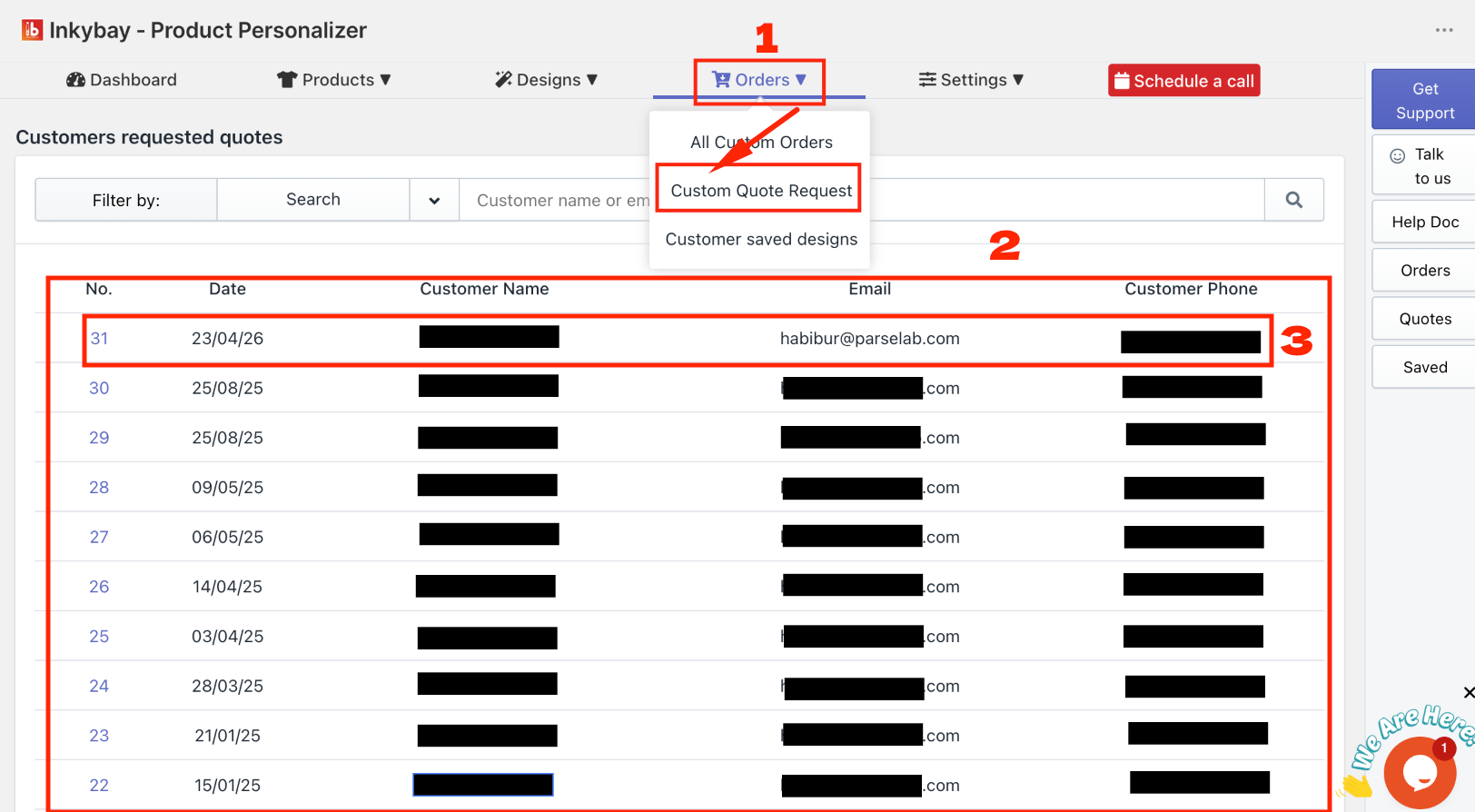
1. Go to the InkyBay dashboard, click Orders, and select Custom Quote Request.
2. You will see a list of customer quote requests. Search for a quote by customer name, email, or phone number.
3. To view specific quote details, click on the desired quote.
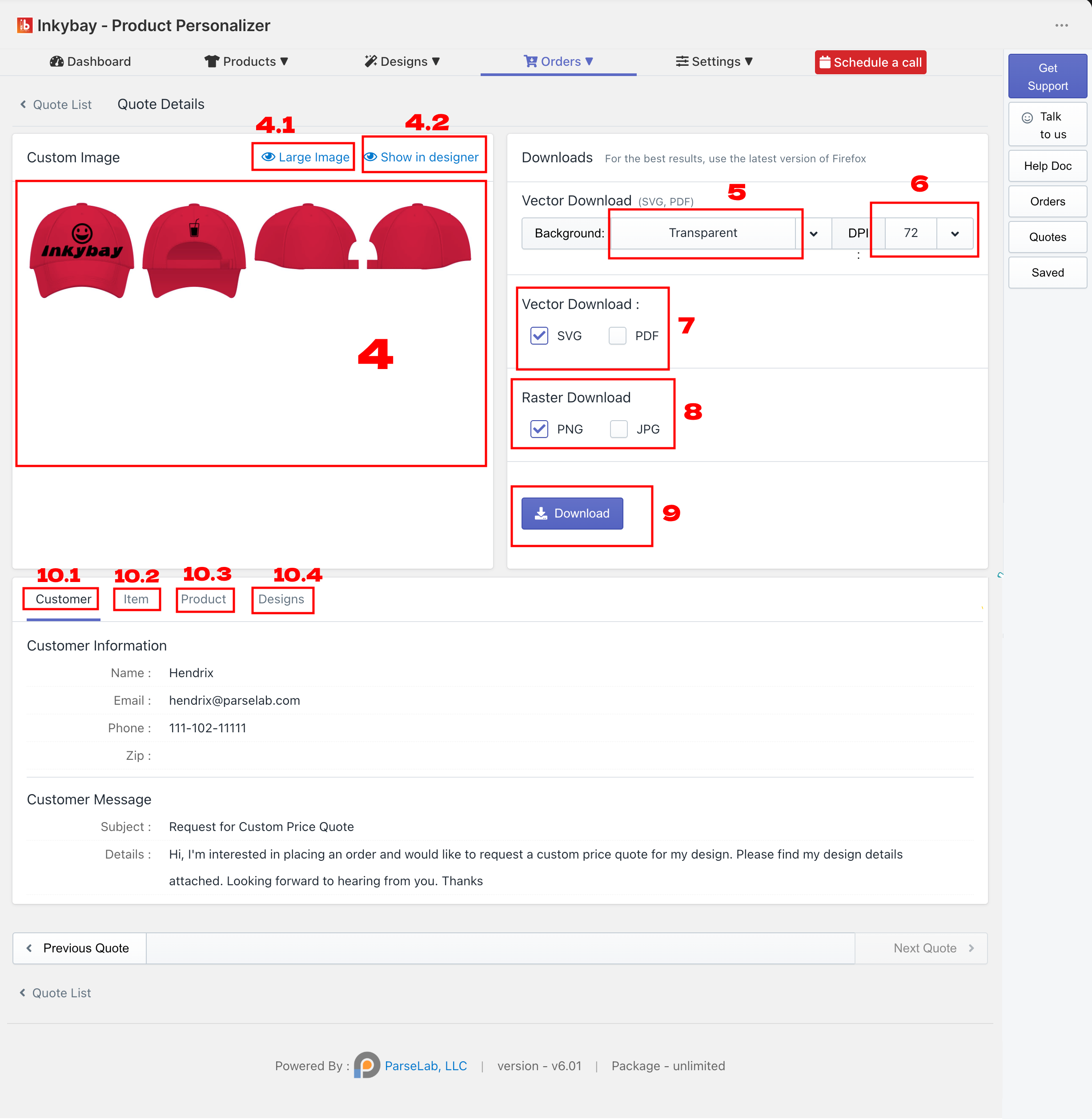
4. You will see a design preview of the product.
4.1 Click Show in Designer to open the design in DesignLab.
4.2 Click the Large Image to view a larger preview of the product with the design.
Choose the design background: Color or Transparent.
Select your preferred DPI: 72, 96, 150, or 300.
Choose the Vector file format.
Choose the Raster file format.
Click Download to download the quote file.
If you scroll down, you will see the following sections:
10.1. Customer: View customer details submitted with the quote request, including full name, email, delivery ZIP code, and message.
10.2. Item: View item details such as size, color, quantity, total design price, and total product price.
10.3. Product: View product configuration details, including selected color, sides, styles, and other options.
10.4. Design: View customer design information. For text designs, you can see the text content, font, and text position. For clipart or graphics, you can see the clipart/graphic name, position details, and related information for each side and part of the product.
Feel free to contact us whenever you face any issues or need assistance. We’re available 24/7. You can also reach us:
InkyBay app Live chat
Support ticket from the InkyBay app
Email to support@inkybay.com
 Getting Started
 Products
 Designs
 Templates
 Configuration
 Printing
 Orders
 Inventory Management
 Settings
 Packages
 Uninstallation
 Tutorials
 FAQ
FAQ