Category
 Getting Started
 Products
 Designs
 Templates
 Configuration
 Printing
 Orders
 Inventory Management
 Settings
 Packages
 Uninstallation
 Tutorials
 FAQ
FAQ 1 min to read
Last Update on 05 May 2026
How to Set Clipart Restrictions in InkyBay
The Clipart Restriction feature allows you to control which clipart categories are available for specific printing types. This ensures that customers only see and use designs that are compatible with the selected printing method, helping you maintain production accuracy and avoid unsuitable combinations.
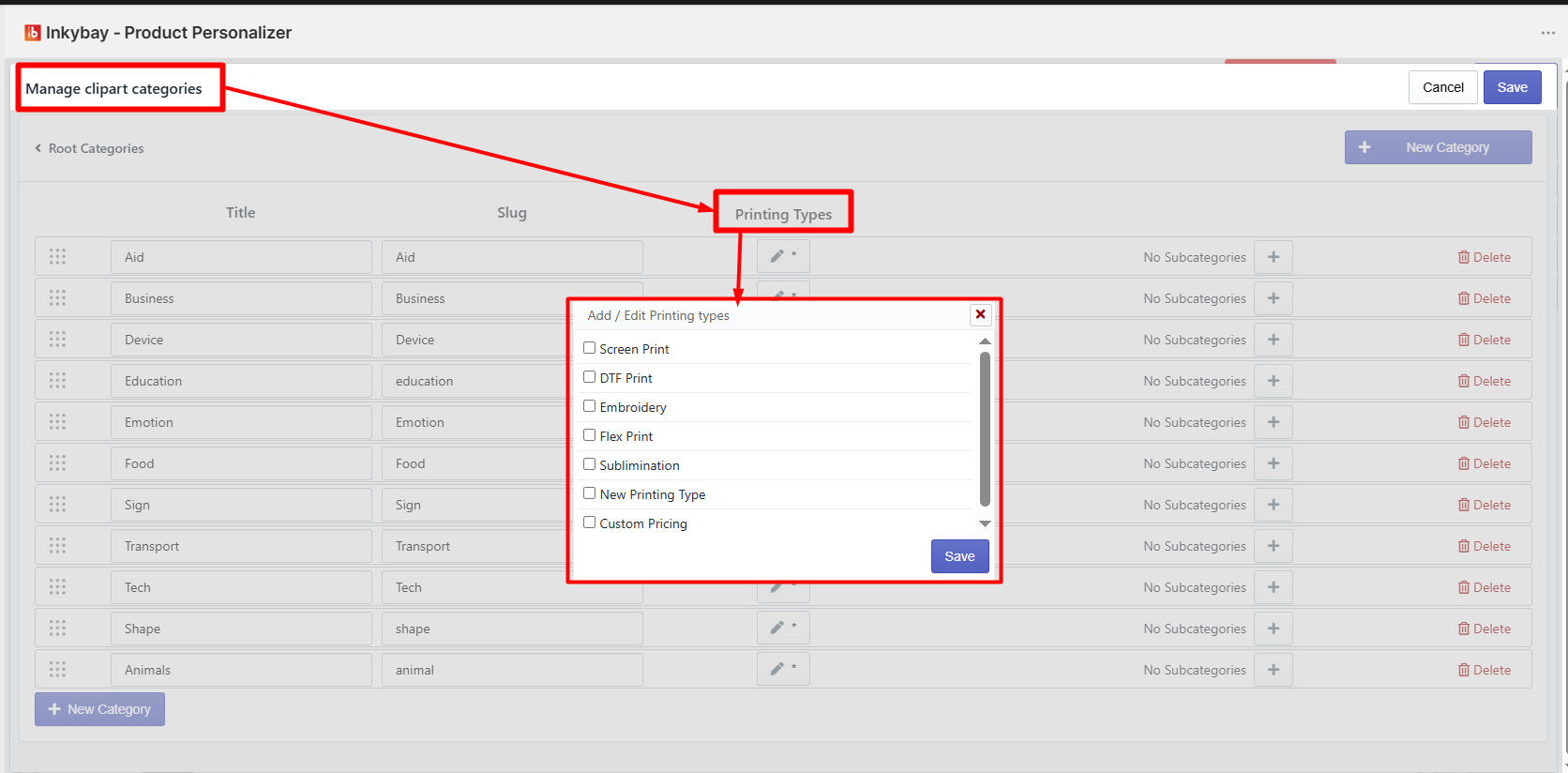
From the Manage Clipart Categories section, you can assign one or multiple printing types to each clipart category. This means the clipart inside that category will only be available when the selected printing type matches.
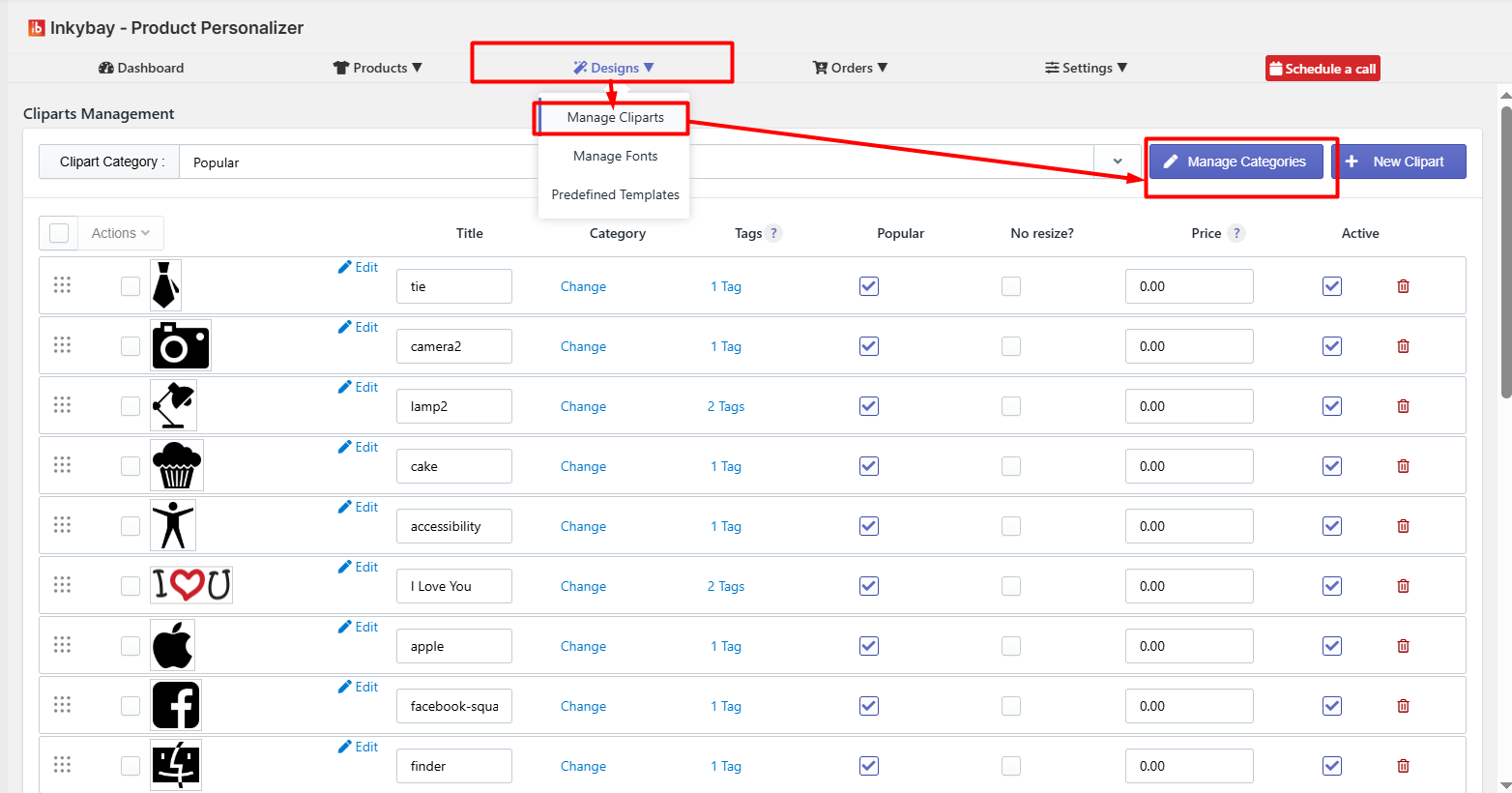
How It Works
When you create or edit a clipart category, you will find a Printing Types option. By clicking on it, a pop-up will appear where you can select the applicable printing methods, such as:
Screen Print
DTF Print
Embroidery
Flex Print
Sublimation
Custom Printing Types (if added)
Once selected and saved, the restriction is applied automatically.
Feel free to contact us whenever you face any issues or need assistance. You can also reach us:
InkyBay app Live chat
Support ticket from the InkyBay app
Email to support@productsdesigner.com
Did this post help you?