InkyBay installation is easy. No manual action or coding skill is required to install & synchronize the app to your Shopify store. The app works with all Shopify themes.
It’ll automatically integrate with all your store themes during installation.
Step-by-step Installation Guide
Step 1: Log in to your Shopify Admin.
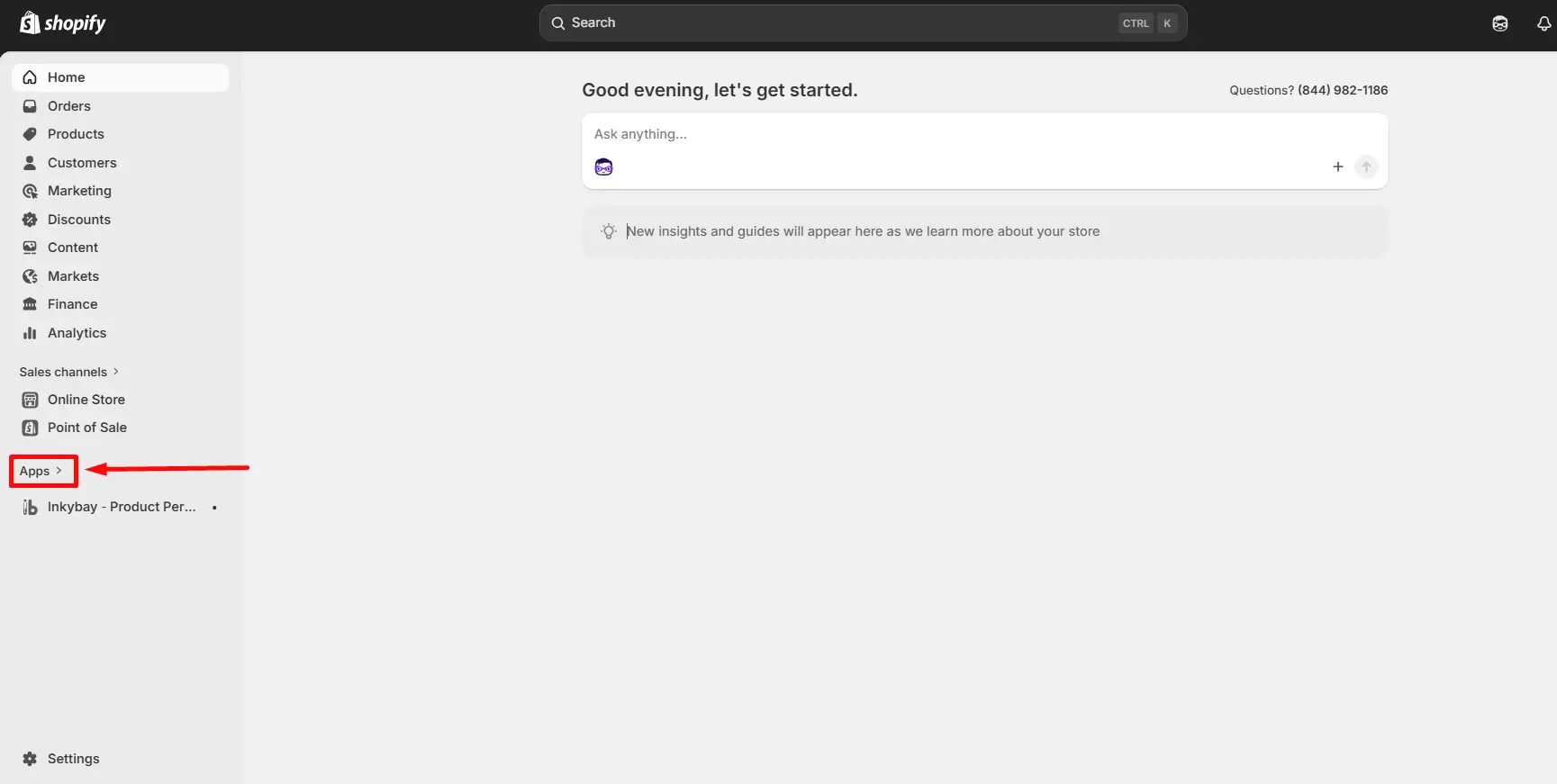
Step 2: Click the Apps option from the left menu, as shown in the image below.
Step 3: Insert InkyBay in the search bar and click the app.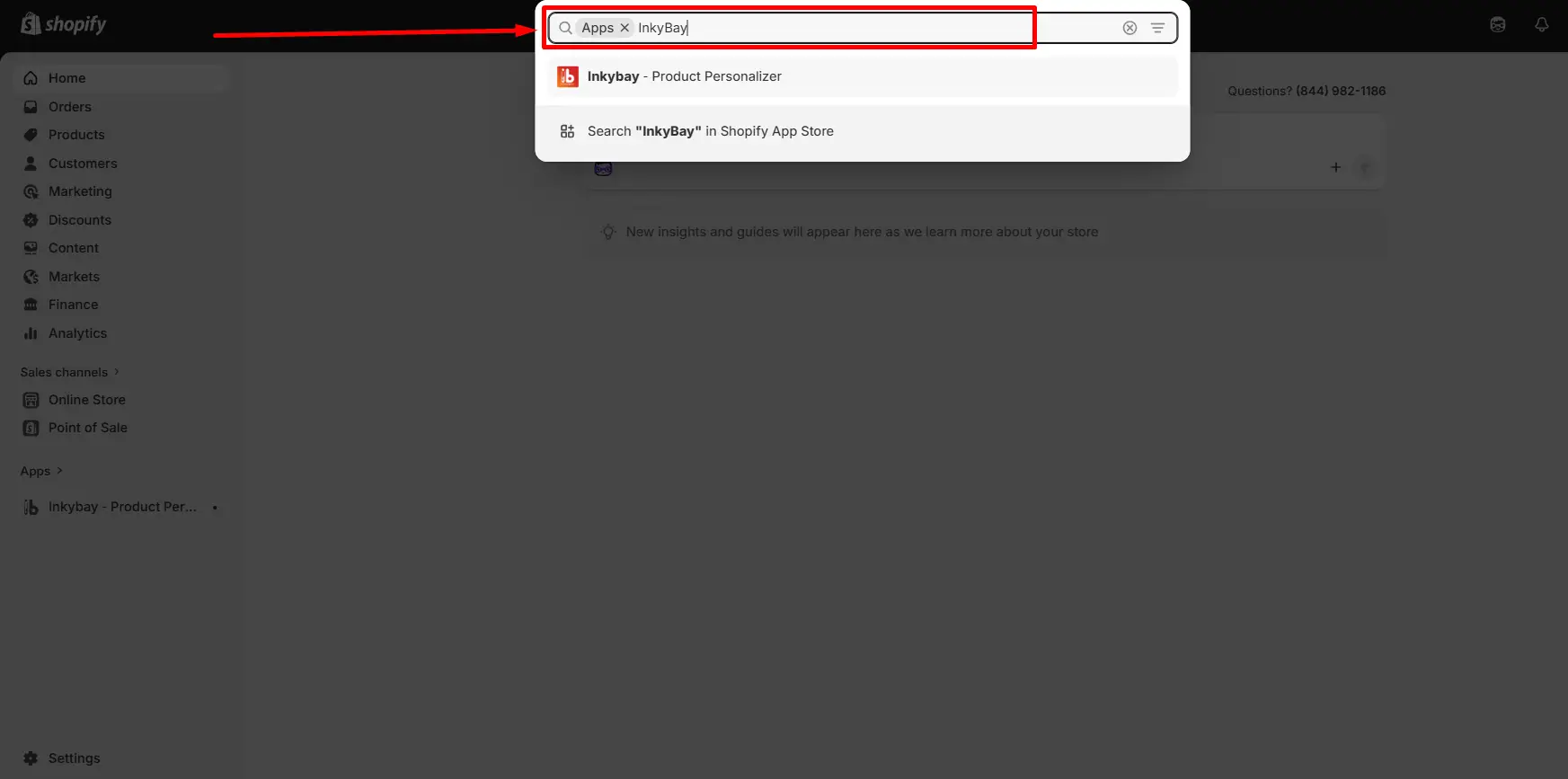
Step 4: You are redirected to a new page, “Shopify App Store.” On this app page, click the Install button.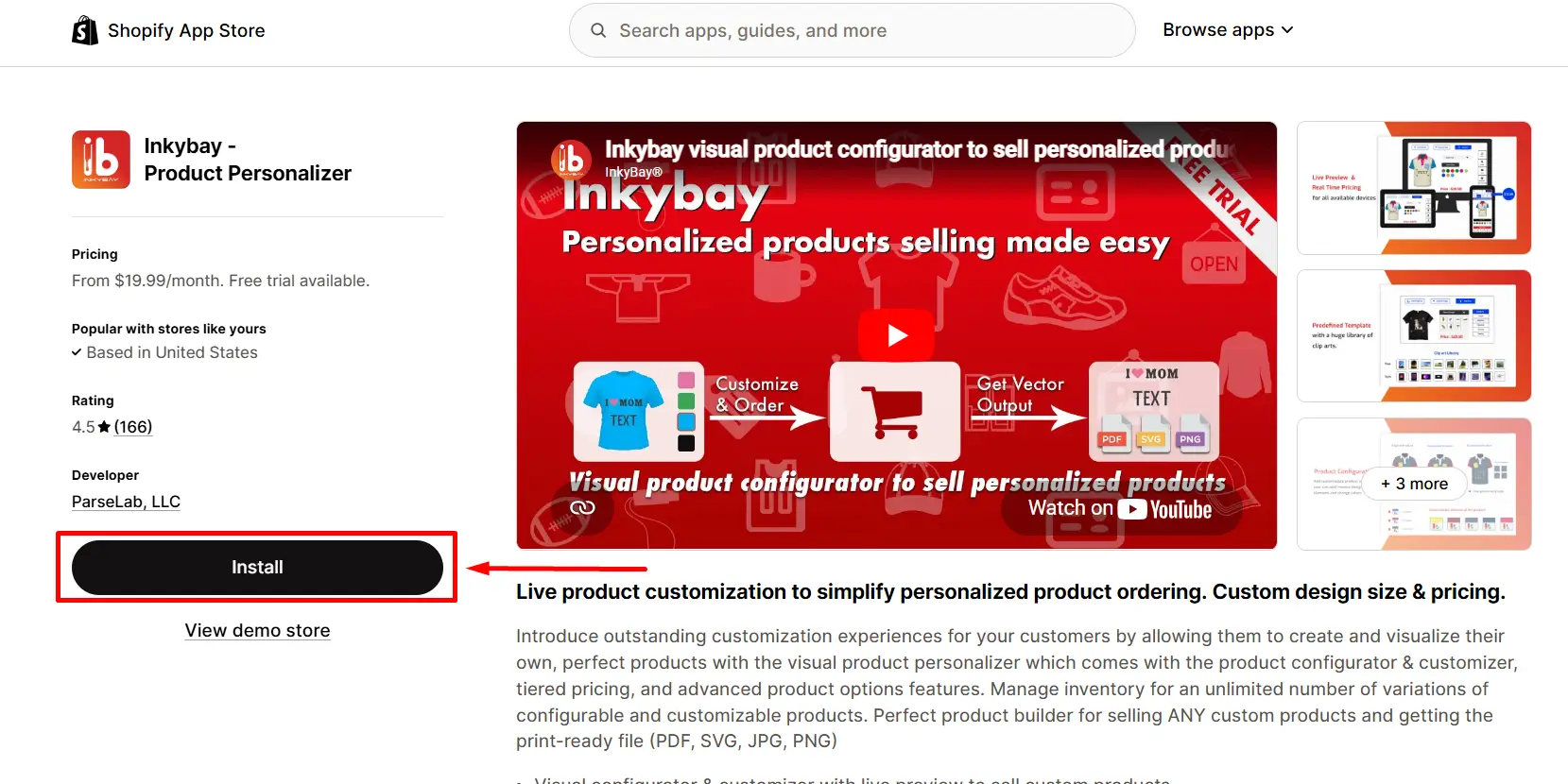
Step 5: Review the app’s data access requirements and check out the privacy policy.
Step 6: To authorize the use of the app, click Install. 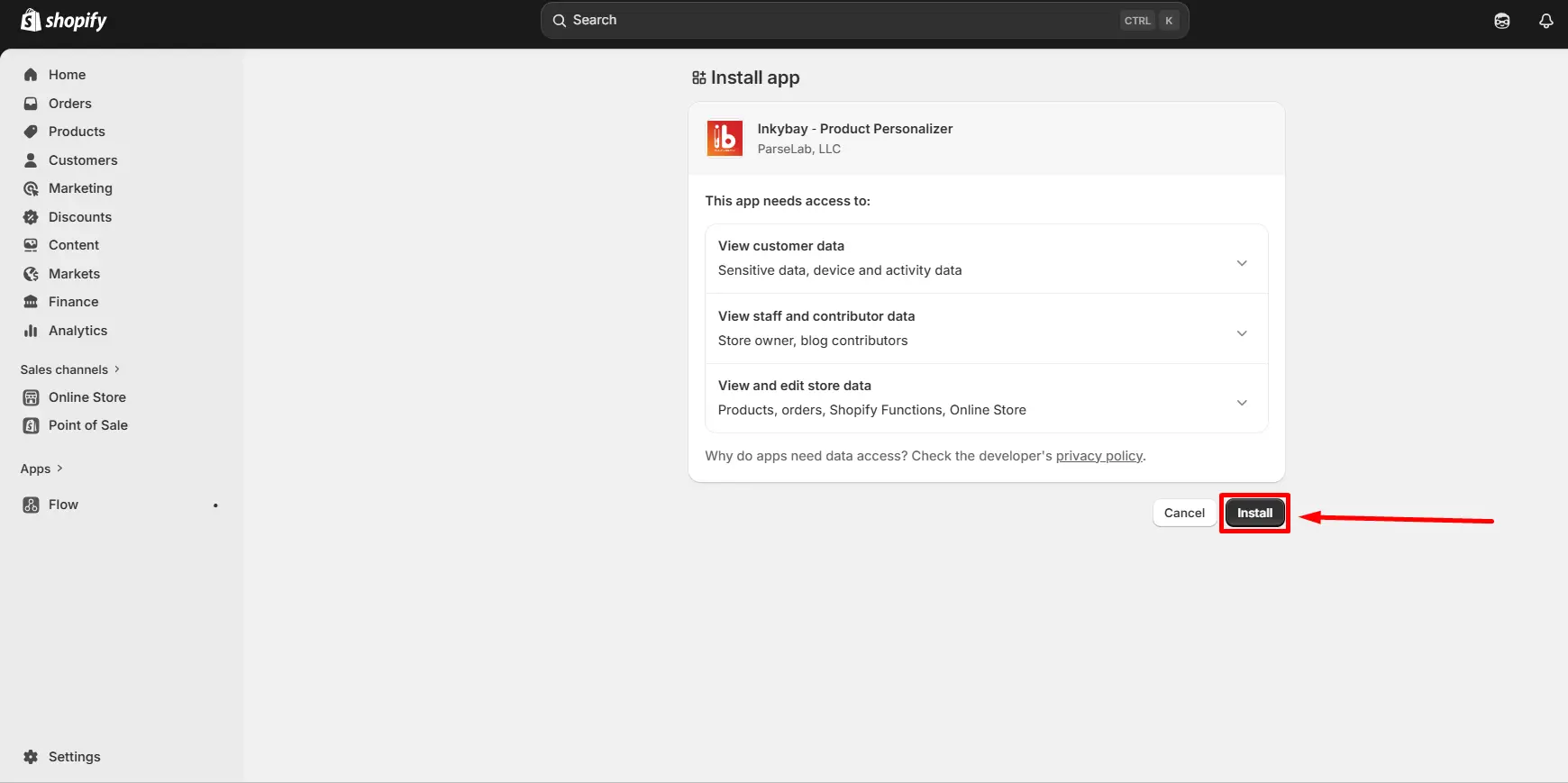
Step 7: After installation, select your preferred subscription plan by clicking on the Choose Plan button.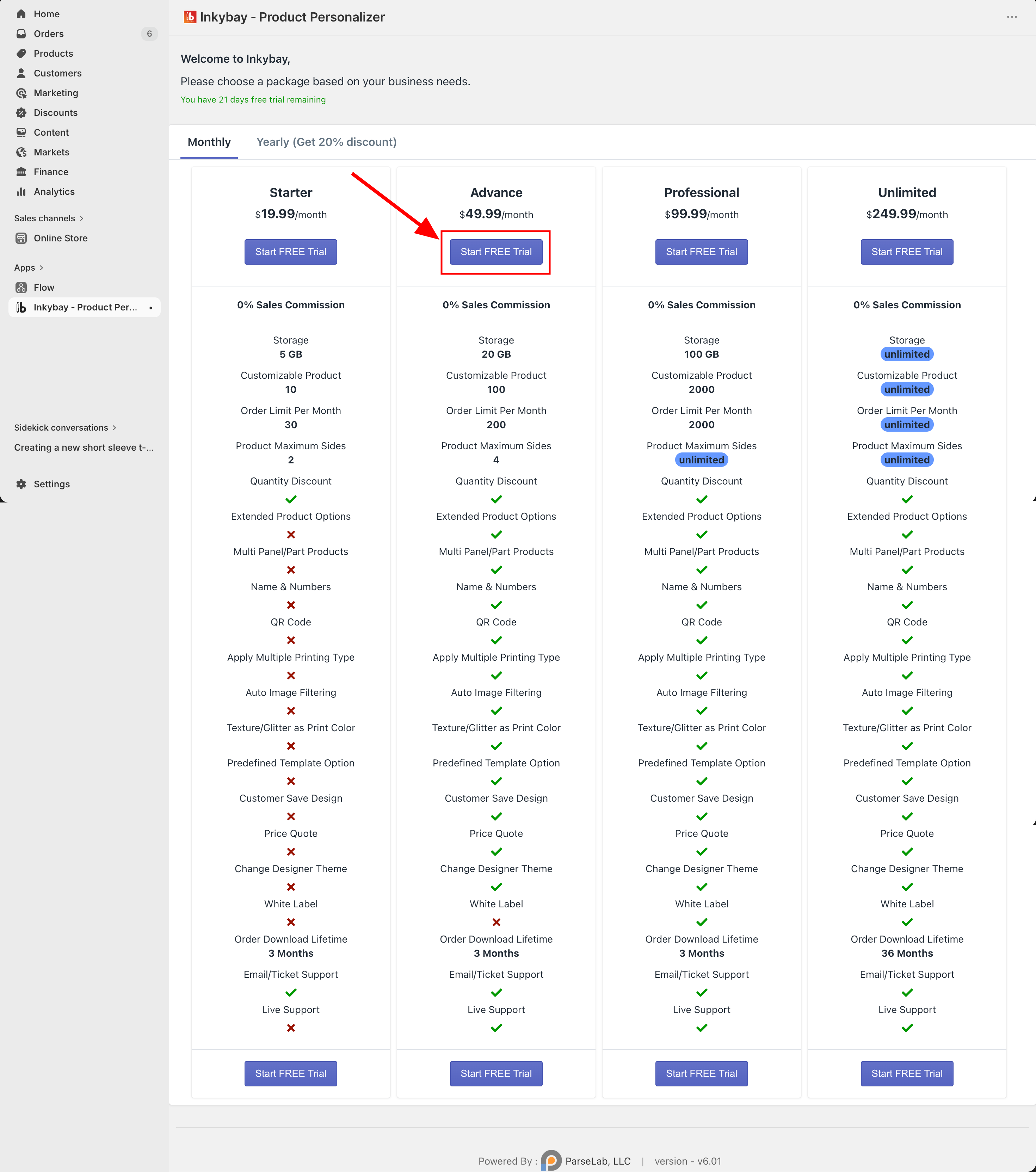
Congratulations! You successfully install the InkyBay app in your Shopify store. Now, click Create a Custom Product to add custom products and encourage customers to buy more.
📝 Tip Try InkyBay’s 21-day free trial to test features, design, customize, and visualize products in real-time. |
Supported Browsers
InkyBay, a Shopify product customizer app, is fully compatible with all modern, up-to-date web browsers. Most merchants use it on desktop devices for the best experience. If you encounter any issues, feel free to contact our experienced support team for assistance or email us at support@productsdesigner.com
 Getting Started
 Products
 Designs
 Templates
 Configuration
 Printing
 Orders
 Inventory Management
 Settings
 Packages
 Uninstallation
 Tutorials
 FAQ
FAQ