Inkybay offers two primary subscription billing options designed to accommodate different business needs: Monthly and Yearly. Each plan provides the same features within its tier but differs in billing frequency and cost efficiency.
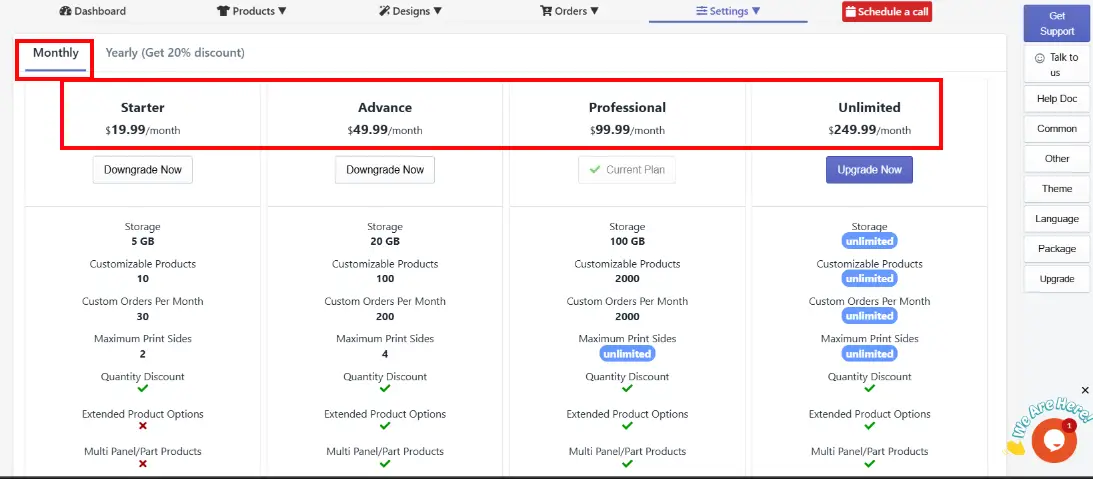
In Inkybays Monthly plan, there are 4 distinct subscription plans as shown in the above image. Each plan scales in price based on the features and storage provided.
Starter ($19.99/month): The entry-level plan. Includes 5 GB storage and support for 10 custom products, 30 custom orders per month, max 2 print sides, Quantity discount feature, and support by email and ticket.
Advance ($49.99/month): The mid-tier plan. Increases storage to 20 GB, 100 custom products, 200 custom orders per month, and unlocks more advanced features.
Professional ($99.99/month): It offers 100 GB storage, 2,000 custom products and orders, and includes unlimited print sides on products, along with “White Label” for store branding.
Unlimited ($249.99/month): The highest available plan. This plan comes with full access to the app's features with unlimited capacity.
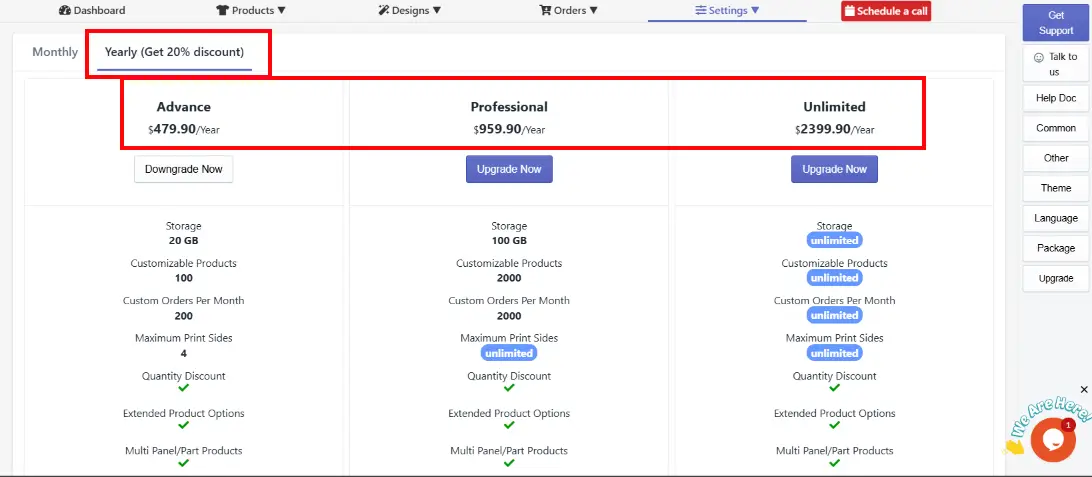
Inkybay’s Yearly Plan comes with 3 distinct subscription plans and 20% discounts in each plan, as shown in the above image. Each plan scales in price based on the features and storage provided.
Advance ($479.90/year): The Advance plan includes 20 GB storage, support for 100 customizable products, 200 custom orders per month, a maximum of 4 print sides of a product, and other features except white label.
Professional ($959.90/year): A high-capacity yearly plan. It offers 100 GB storage, 2,000 customizable products, 2,000 custom orders per month, unlimited print sides, and includes advanced features like white label.
Unlimited ($2399.90/year): The highest available yearly plan. This plan comes with unlimited storage, unlimited customizable products, unlimited custom orders per month, unlimited print sides, and full access to all features.
Depending on your current package, you can upgrade or downgrade to one of InkyBay’s available packages. The process is simple. All you need to do is choose which features you want to upgrade.
Step 1: Navigate to Settings and click the Upgrade Subscription button.
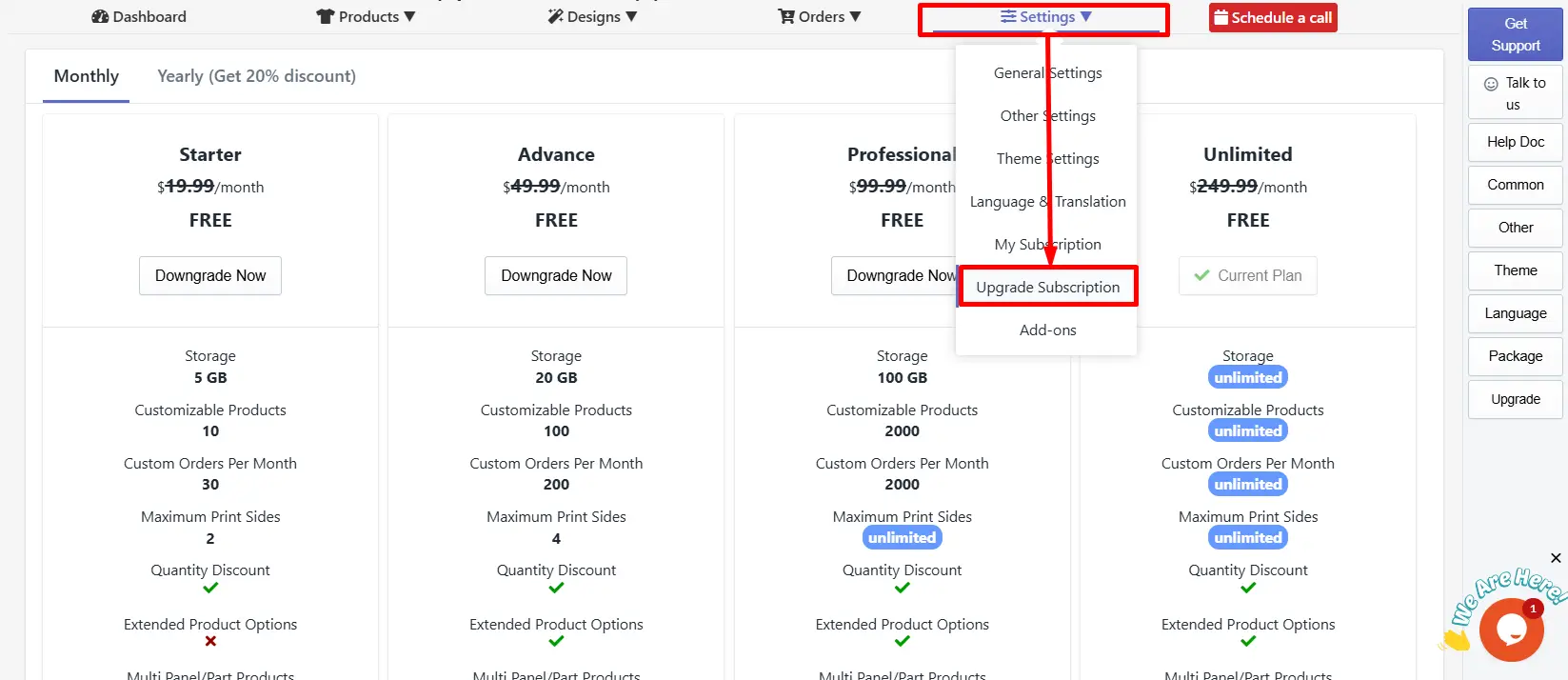
Step 2: Choose your preferred package according to your feature needs.
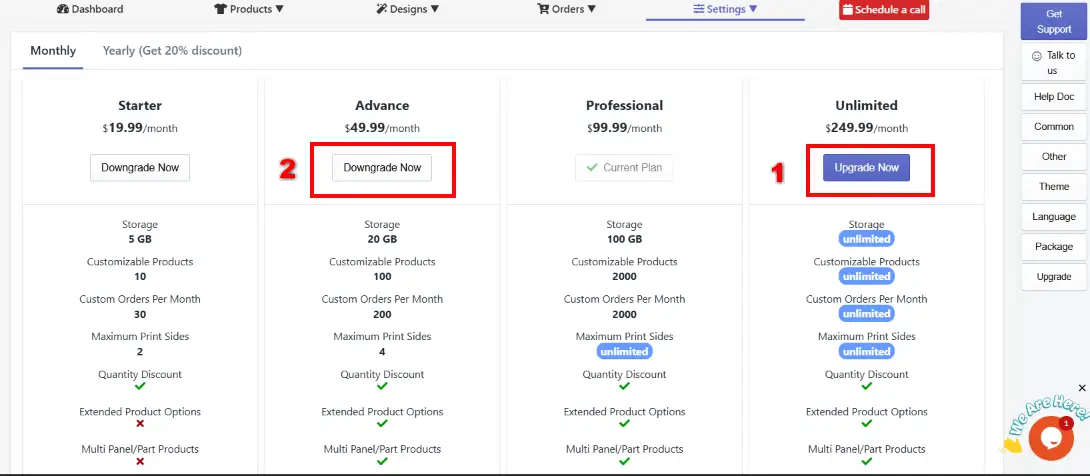
Upgrade: Click on the blue “Upgrade now” button to upgrade your subscription plan.
Downgrade: Click on the white “Downgrade Now” button to downgrade your subscription plan.
Still, facing difficulties or need help? Feel free to contact us. You can also reach us:
InkyBay app Live chat
Support ticket from the InkyBay app
Email to support@productsdesigner.com
 Getting Started
 Products
 Designs
 Templates
 Configuration
 Printing
 Orders
 Inventory Management
 Settings
 Packages
 Uninstallation
 Tutorials
 FAQ
FAQ