Category
 Getting Started
 Products
 Designs
 Templates
 Configuration
 Printing
 Orders
 Inventory Management
 Settings
 Packages
 Uninstallation
 Tutorials
 FAQ
FAQ 3 min to read
Last Update on 05 May 2026
How to Add Clipart Price for Products with InkyBay
Not all cliparts are equal in value. Some are simple icons, while others may be premium illustrations or licensed designs. Giving each clipart its own price lets you accurately reflect that value and create a better experience for both you and your customers.
Here is how clipart pricing benefits your business:
Increase your revenue — Charge a small extra amount for cliparts so that every design choice contributes to your earnings, on top of your base product price.
Segment your cliparts by value — Offer free cliparts as standard options and mark premium or exclusive designs with a higher price, giving customers a clear sense of quality tiers.
Protect the value of premium designs — If you have invested in high-quality or licensed clipart, setting a price ensures that investment is covered and not given away for free.
Encourage customer choice — A range of free and paid cliparts helps customers feel in control. They can personalise on a budget or choose to upgrade to a premium design.
Create a transparent pricing experience — Customers always see the extra cost upfront when selecting a clipart, so there are no surprises at checkout, and trust in your store is maintained.
How to Set Prices for Your Cliparts
Follow these steps in your Inkybay admin dashboard:
Access your store products.
Go to your admin dashboard. Hover over the Designs option, then select Manage Cliparts.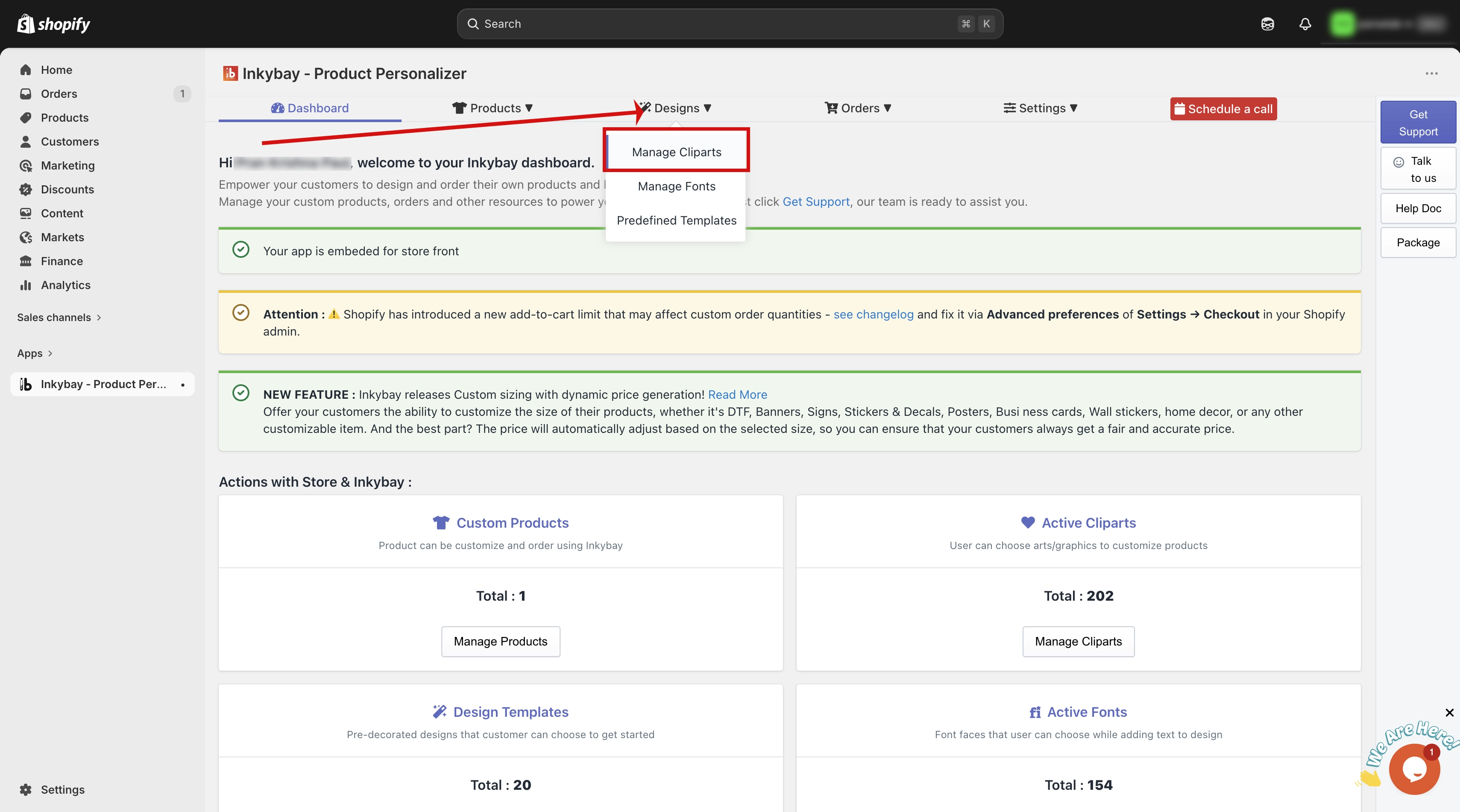
Find the Price Column and Set Your Price
Your full clipart list will appear. For each clipart, you will see a column labelled Price. Enter the extra amount you want to charge for that clipart in the field provided.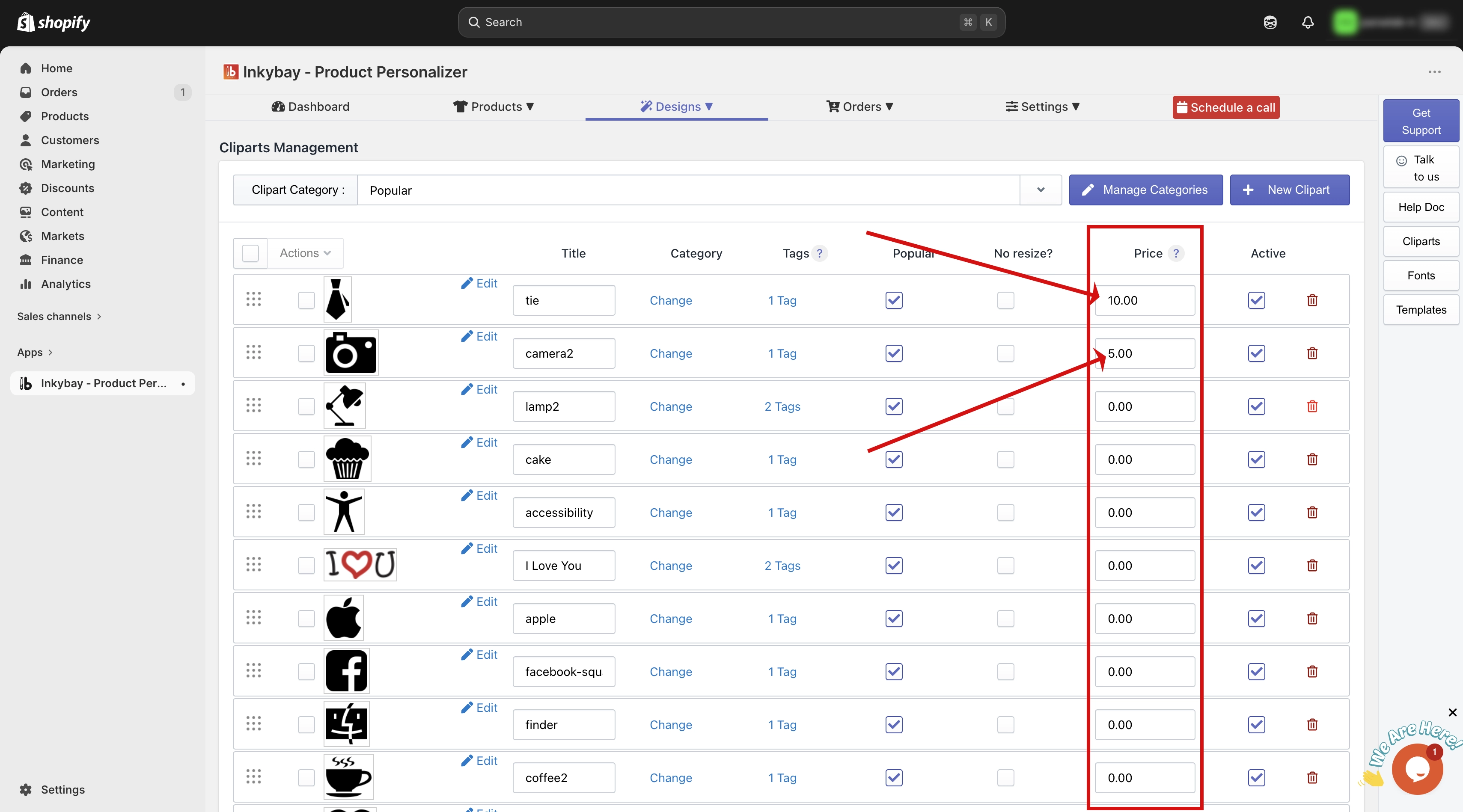
This amount is added on top of your base product price. For example, if your product costs $20 and a clipart has a price of $3, the customer pays $23 when they add that clipart to their design.
Quick Summary
Go to Designs > Manage Cliparts from your admin dashboard.
Find the Price column next to each clipart in the list.
Enter the extra amount you want to charge for that clipart.
This price is automatically added to the product base price when a customer selects that clipart.
Set the price to 0 to keep a clipart free for all customers.
Need more help? Feel free to contact us whenever you face any issues or need assistance. We’re available 24/7. You can also reach us:
InkyBay app Live chat
Support ticket from the InkyBay app
Email to support@productsdesigner.com
Did this post help you?