To show the product option on the storefront, you have to apply a rule for that option.
Step 1: Access your product options.
Go to your admin dashboard. Hover over the Products option, then click on Product Option. All your created product options will be listed here. By clicking on the +option set, you can create a new option set.
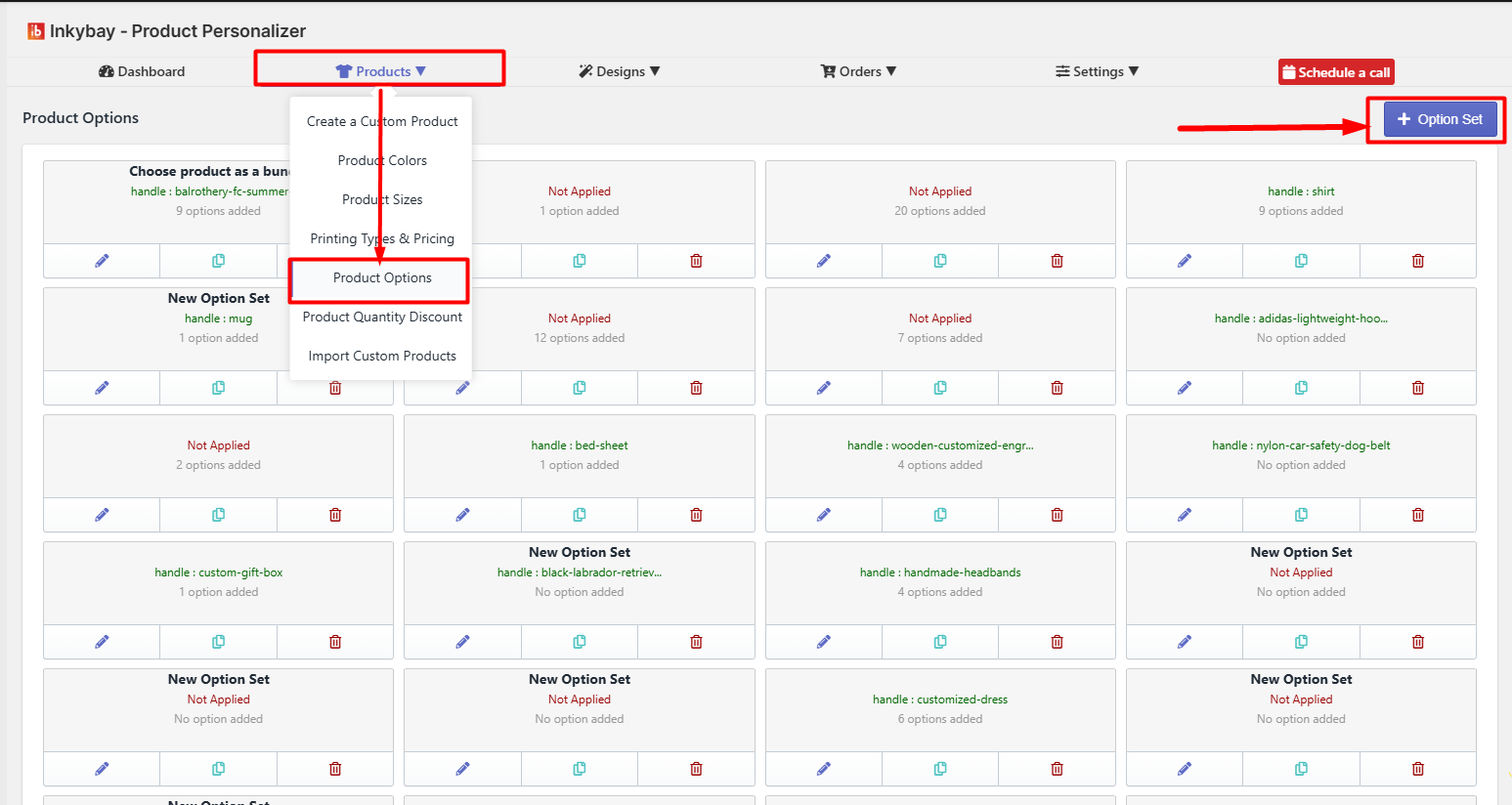 After creating an option set to show the option in the storefront, you have to apply a rule.
Step 2: Apply Rule: You can apply the option set to products in multiple ways. Select a rule from the drop-down. By default, it will be selected No rule, this means this option set is not yet applied to any products. You can selectively apply the rule from
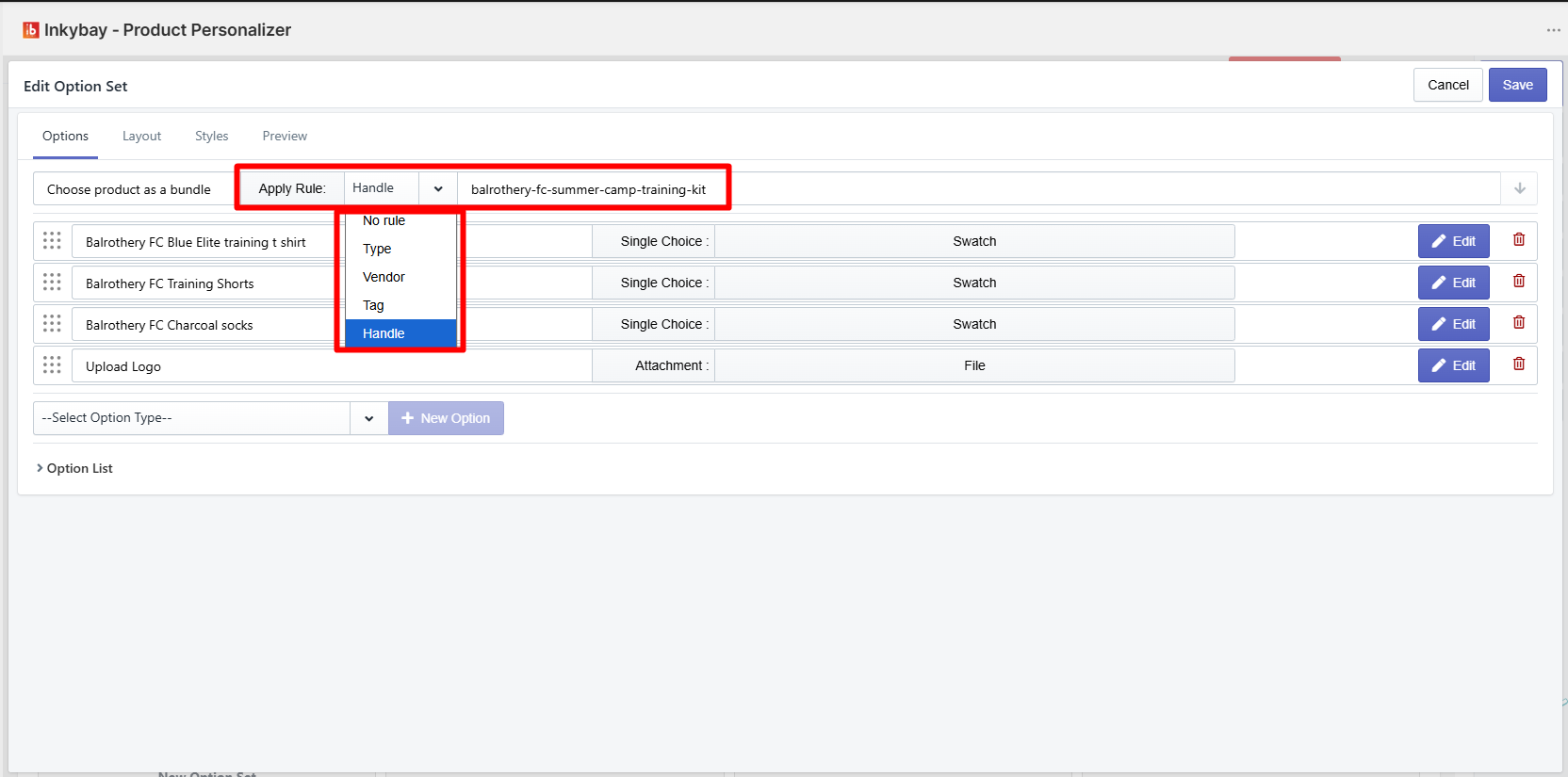
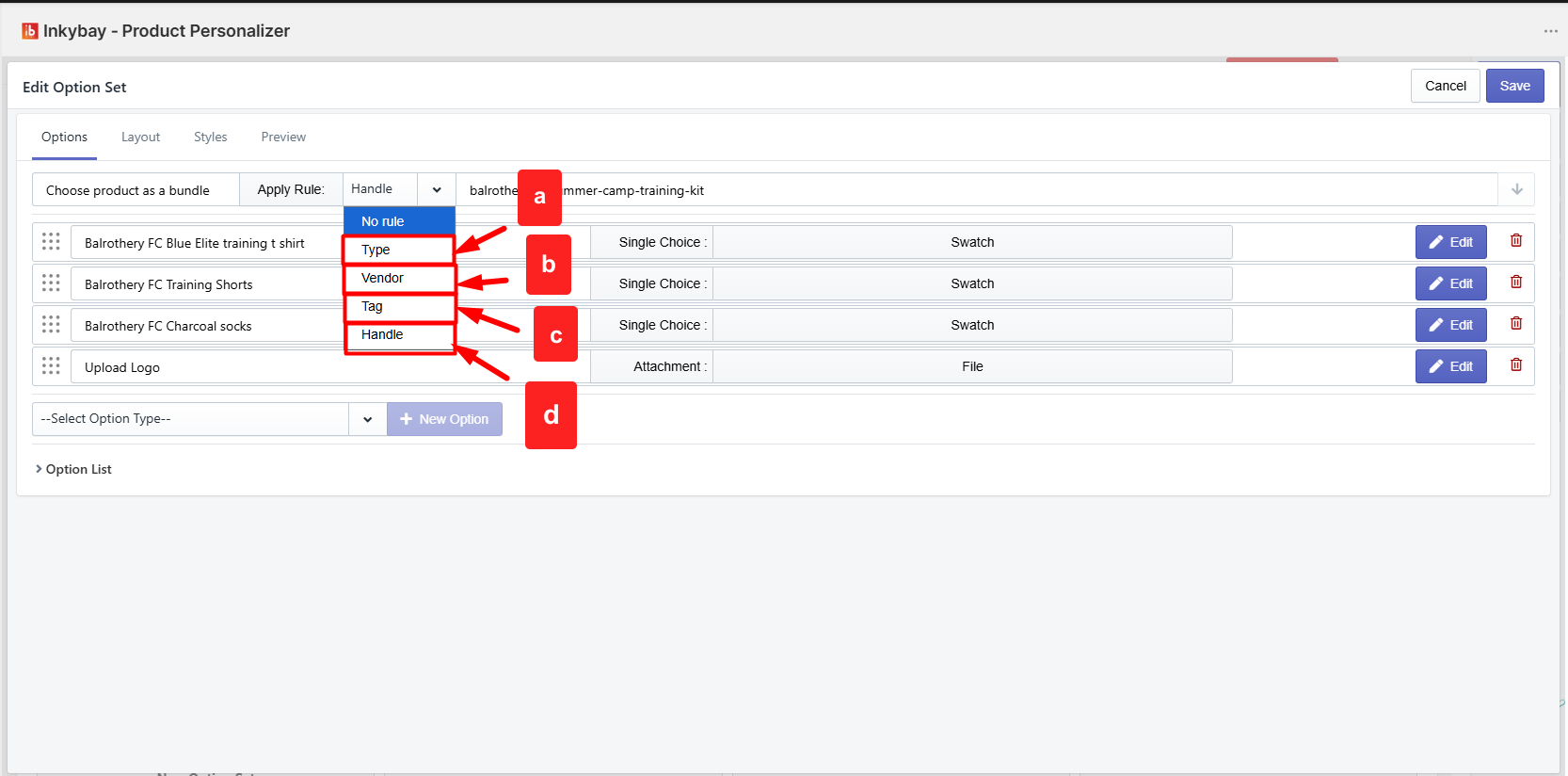
Type: Apply this option set by using the product type from your Shopify products.
Vendor: Apply this option set by using product vendors from your Shopify products.
Tag: Apply this option set by using a product tag from your Shopify products.
Handle: Apply this option set to a single product by using the product handle/URL.
To use the handle, you have to copy the last path of the Product URL.
Feel free to contact us whenever you face any issues or need assistance. You can also reach us:
InkyBay app Live chat
Support ticket from the InkyBay app
Email to support@productsdesigner.com
 Getting Started
 Products
 Designs
 Templates
 Configuration
 Printing
 Orders
 Inventory Management
 Settings
 Packages
 Uninstallation
 Tutorials
 FAQ
FAQ