Category
 Getting Started
 Products
 Designs
 Templates
 Configuration
 Printing
 Orders
 Inventory Management
 Settings
 Packages
 Uninstallation
 Tutorials
 FAQ
FAQ 1 min to read
Last Update on 05 May 2026
Can I set minimum order quantities with your app?
Yes. You can set “minimum order quantity“ for your customized products based on the printing type. Check out the tutorial: how to apply the minimum order quantity. Or, follow the easy & quick steps:
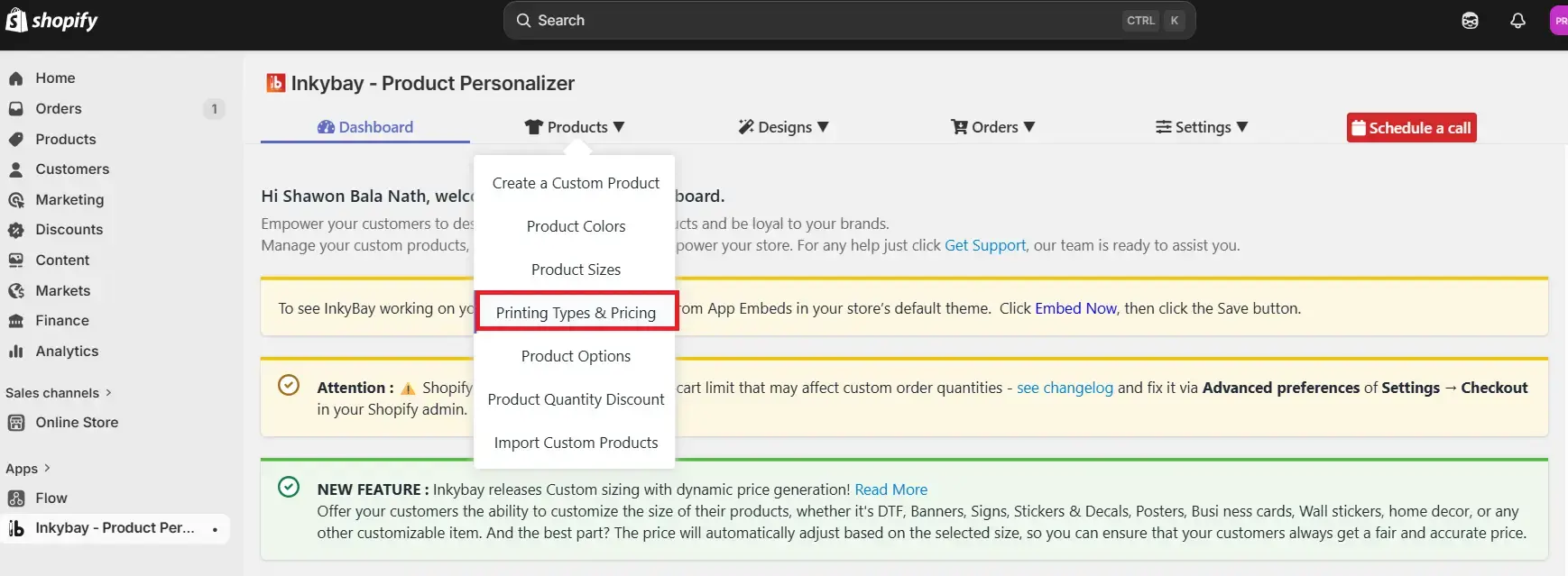
Step 1: Navigate to Inkybay admin, hover over Products, and click “Printing types & Pricing“
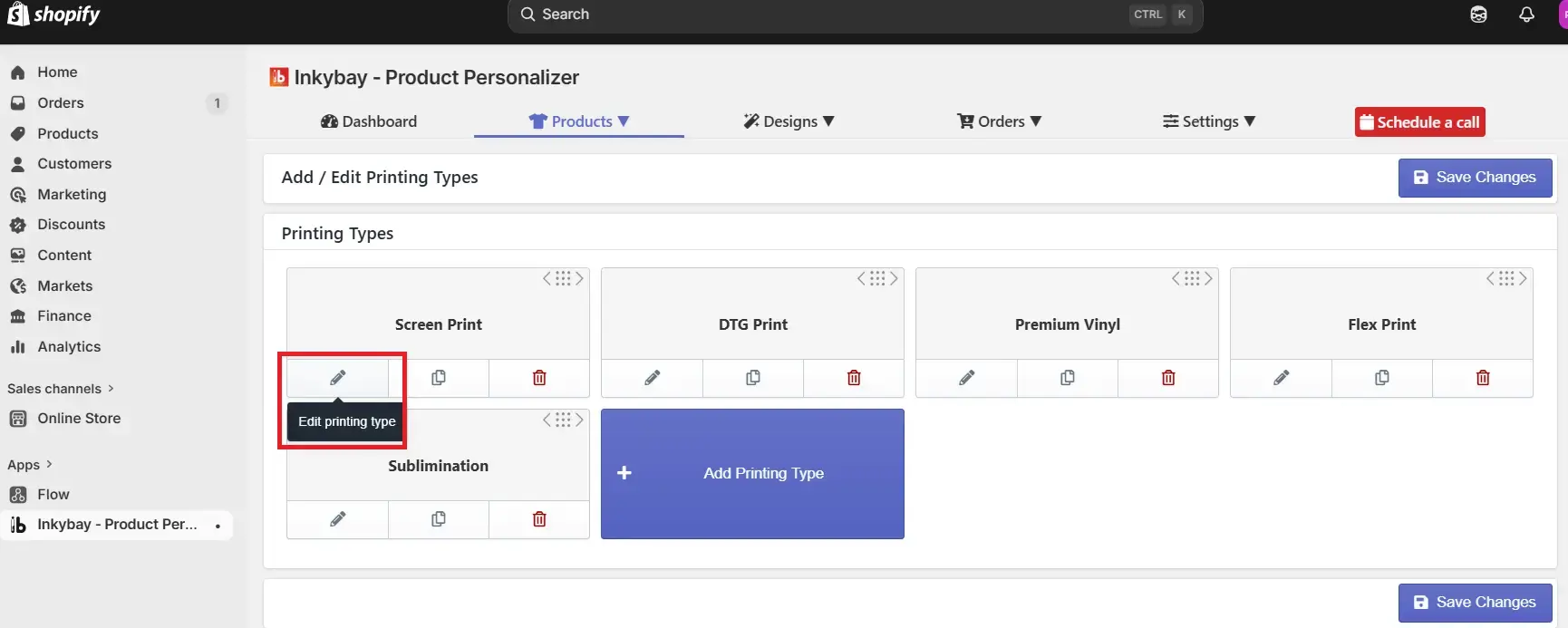
Step 2: Edit the printing type by clicking on the Edit icon of the printing type for which you want to set the “MOQ".
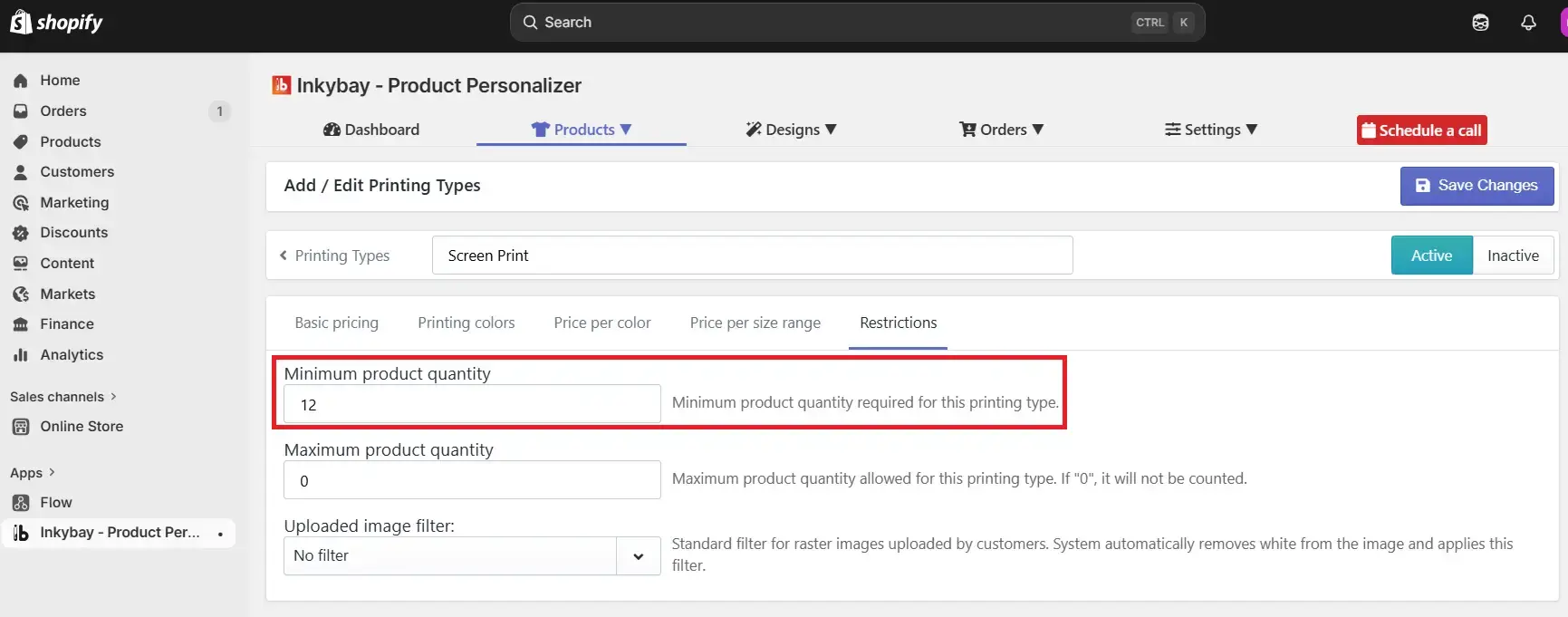
Step 3: Select restrictions and enter the minimum order quantity value.
Step 4: Click the Save Changes button.
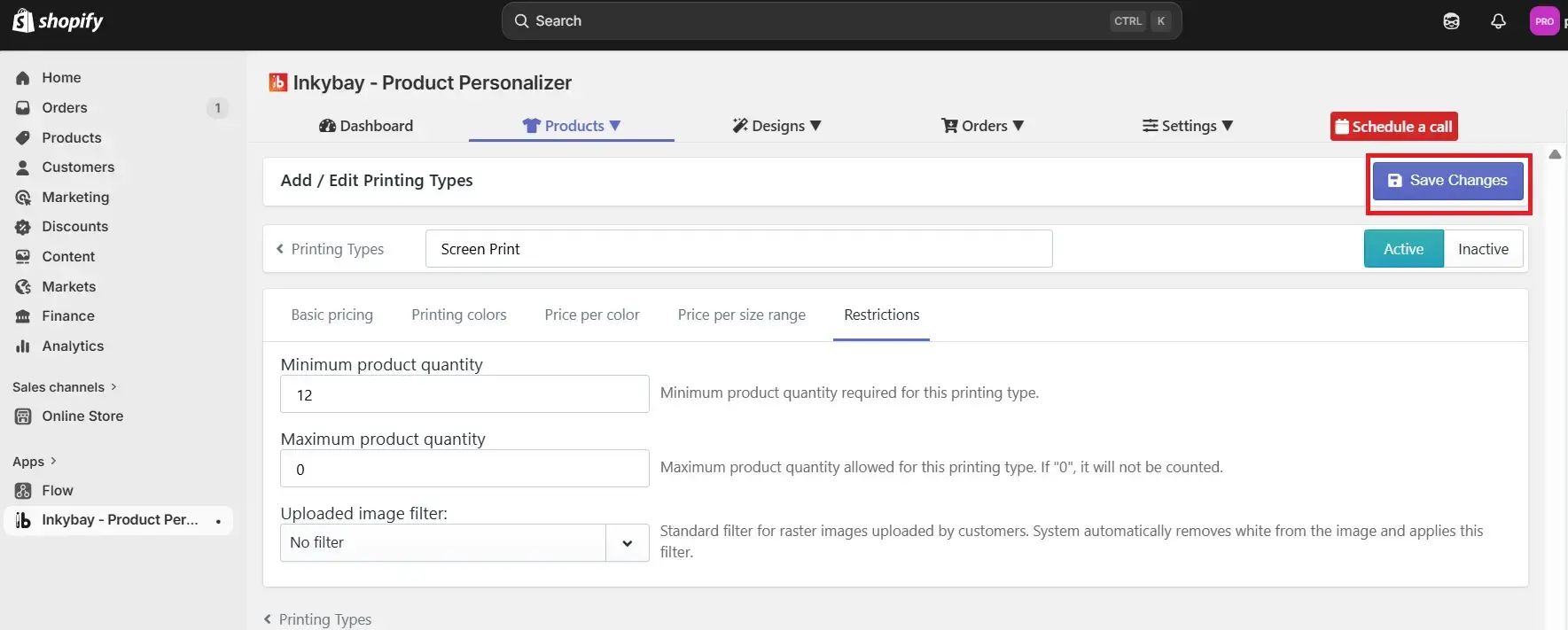
All is set!
Did this post help you?