Yes, of course. To customize the design tool page title, go to InkyBay app Settings >> Other Settings. After that, navigate to the InkyBay Designer URL. Below, we’ve shared a step-by-step guide:
Step 1: Access to the InkyBay admin dashboard.
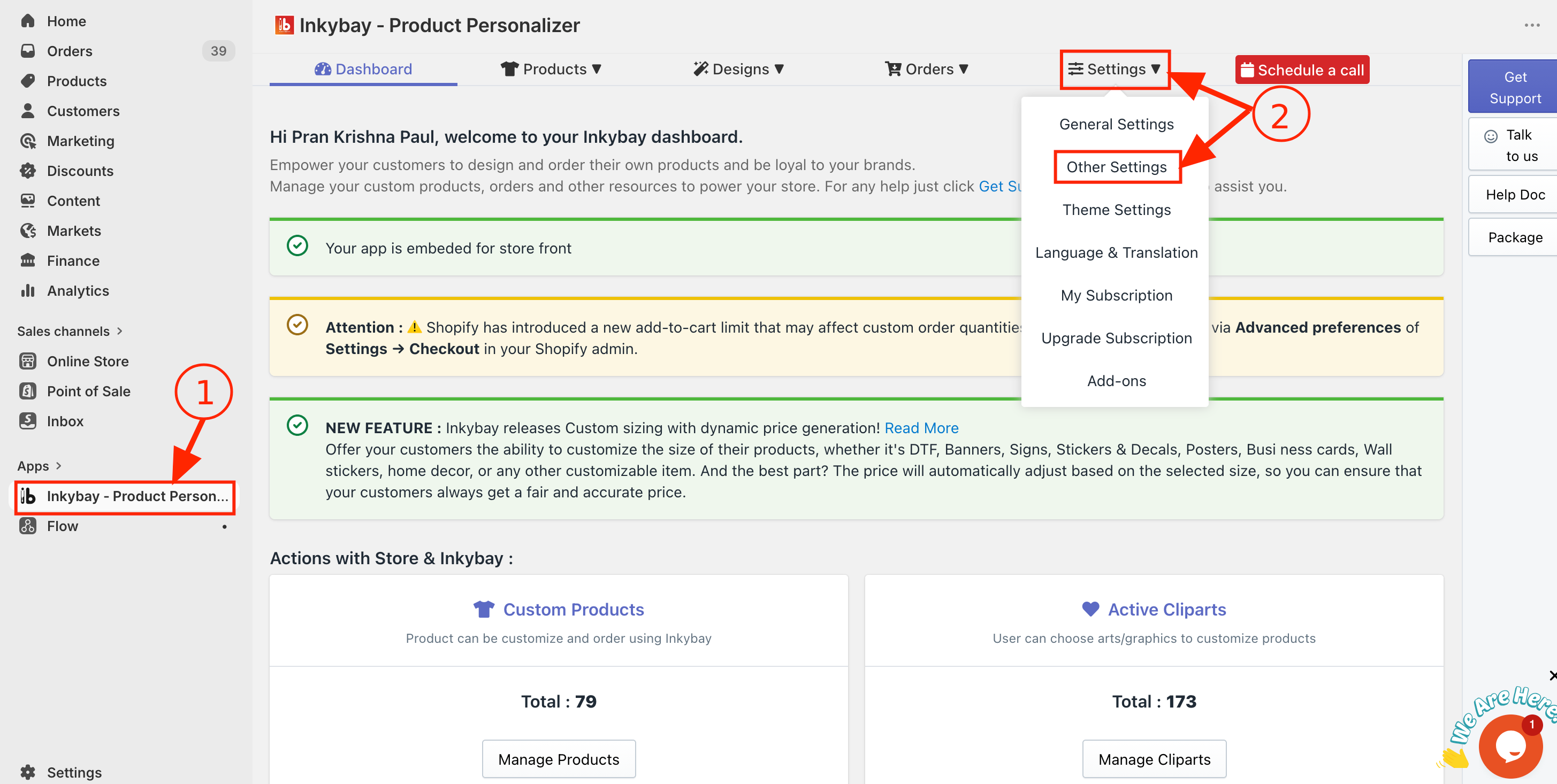
Step 2: Hover over Settings and select Other Settings.
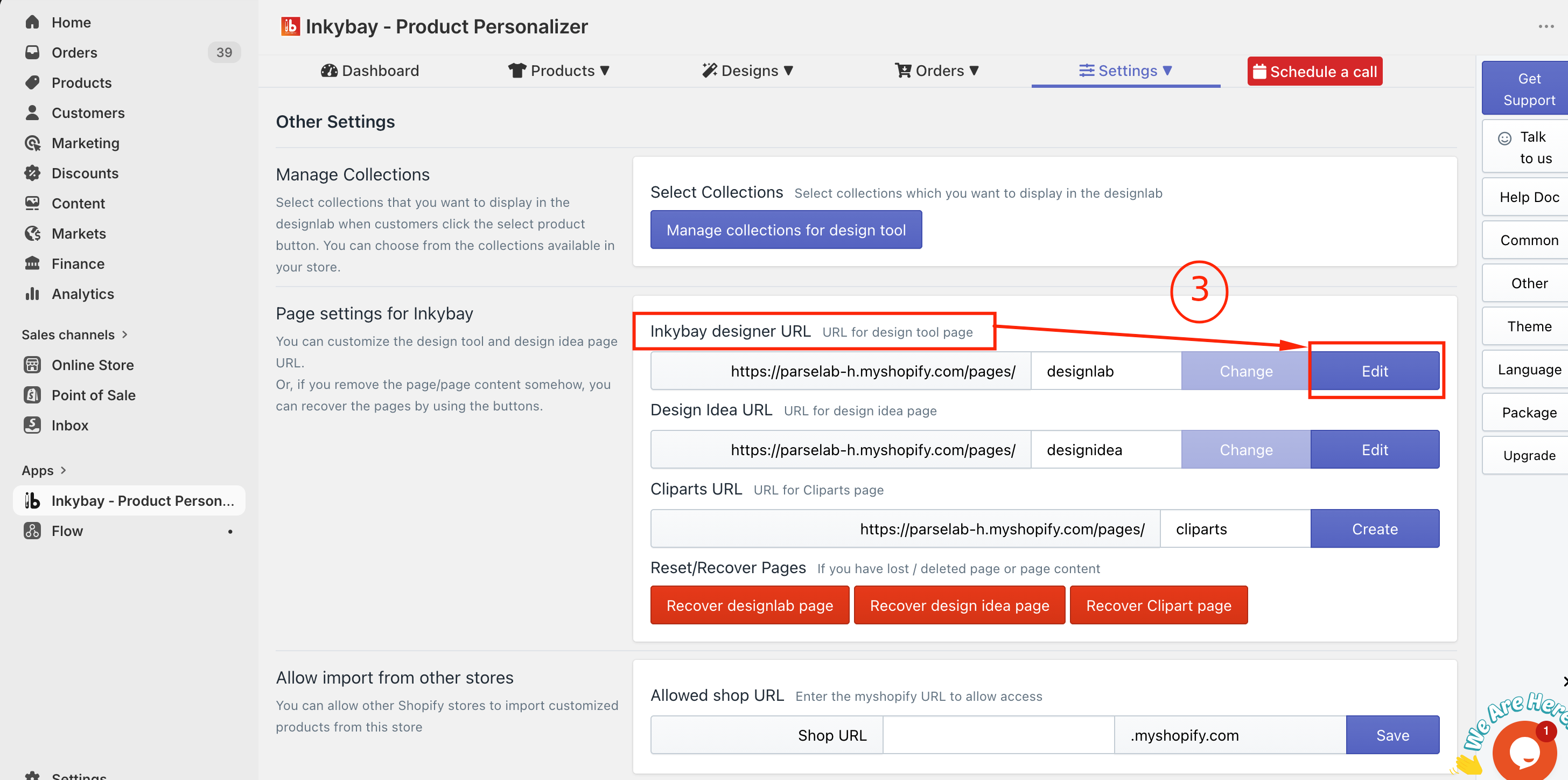
Step 3: In the Page Settings for InkyBay section, click the Edit button in the InkyBay designer URL, as the image below.
Step 4: Enter your preferred title in the Update page title box.
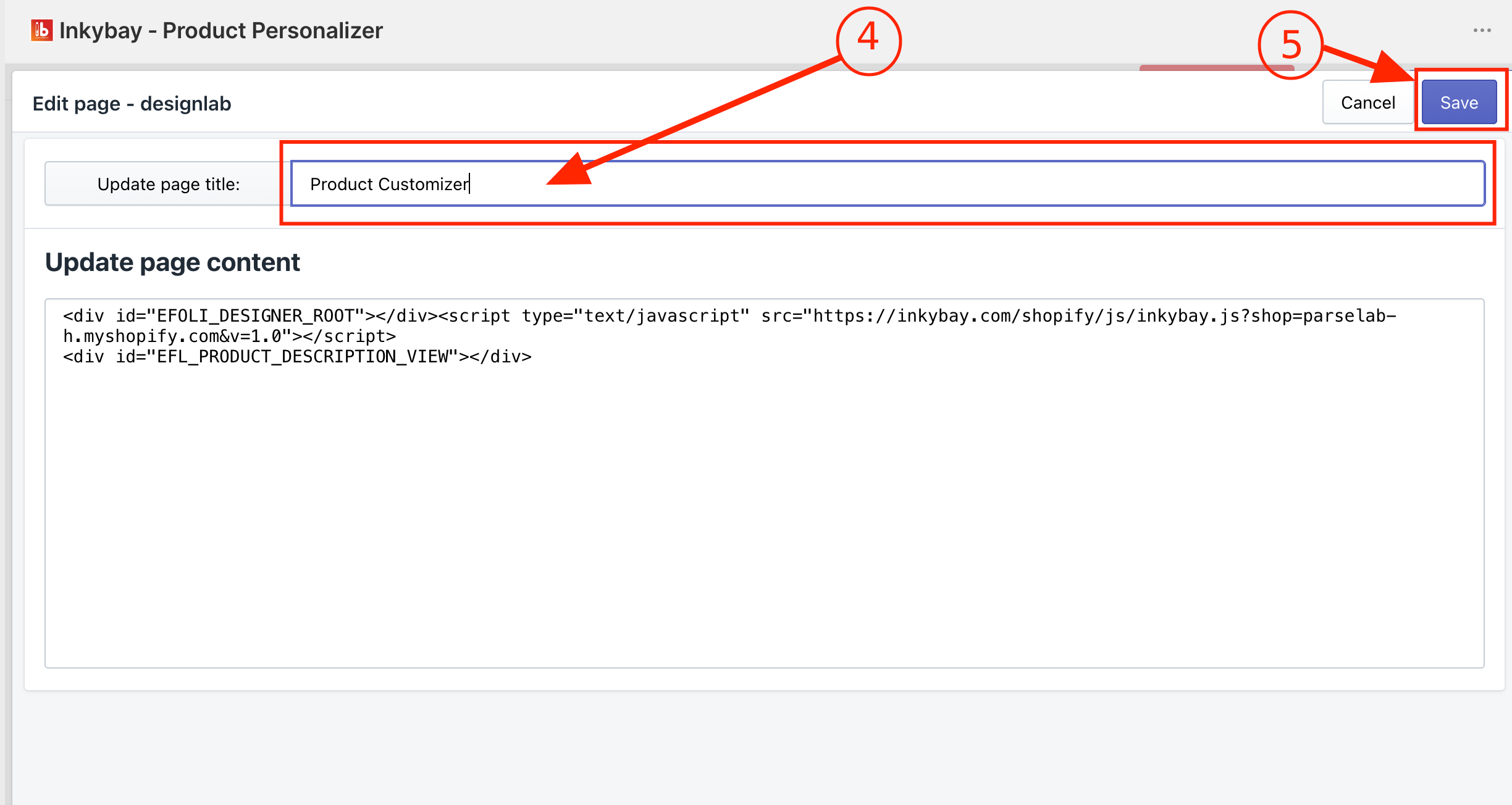
Step 5: Now, click the Save button to update the title.
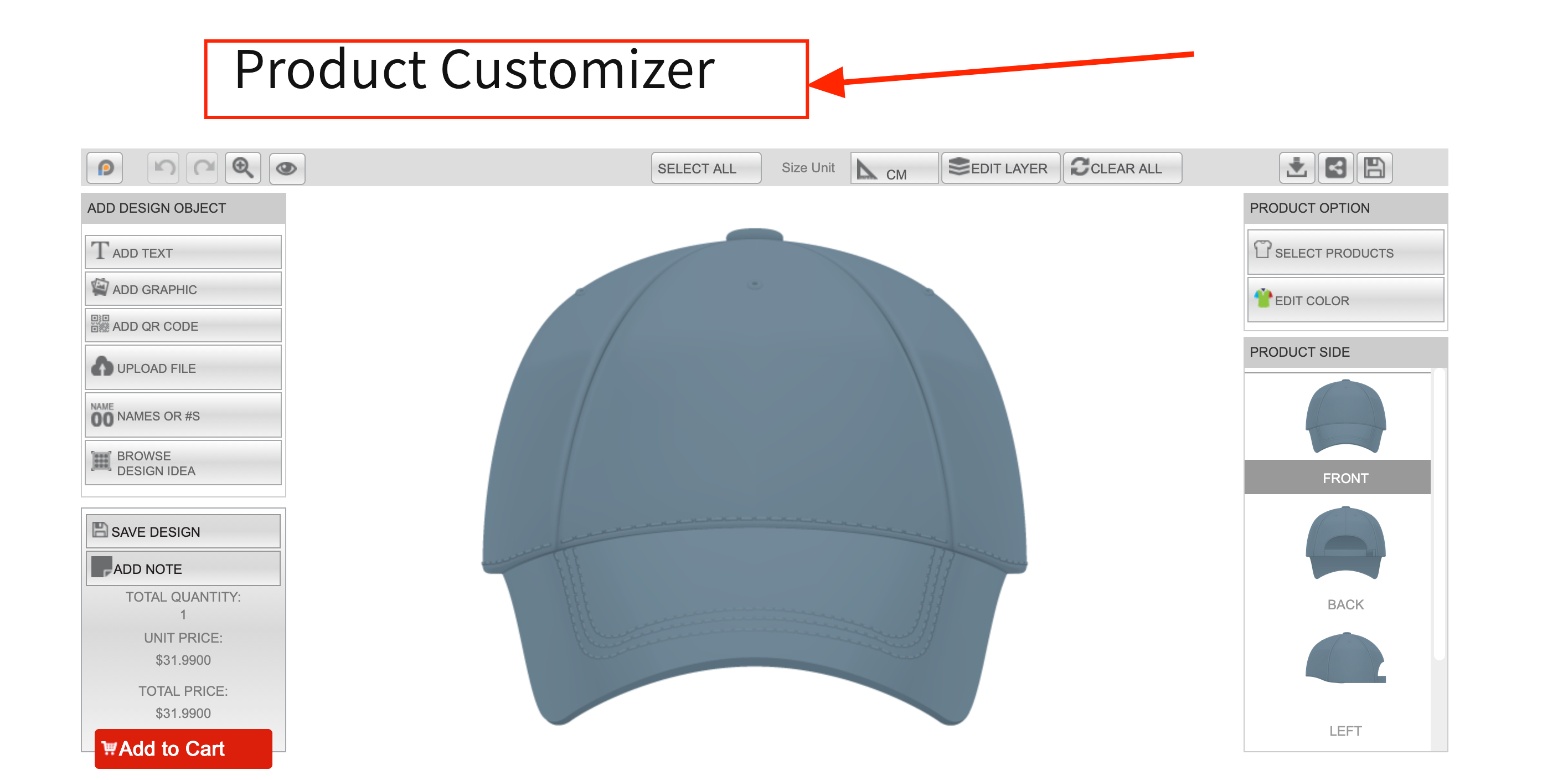
The image below is the final view of the design tool page (we set the title as “Product Customizer”)
 Getting Started
 Products
 Designs
 Templates
 Configuration
 Printing
 Orders
 Inventory Management
 Settings
 Packages
 Uninstallation
 Tutorials
 FAQ
FAQ