Inkybay comes with default text and contact info for the get a quote window. When customers click on the “Get a Quote” button, it opens the window with default info and the customer contact details form. If you want to change the default info, you can do that under “Settings >> Language & Translations” in the app admin.
Follow a step-by-step guide:
Step 1: Go to the Inkybay admin panel.
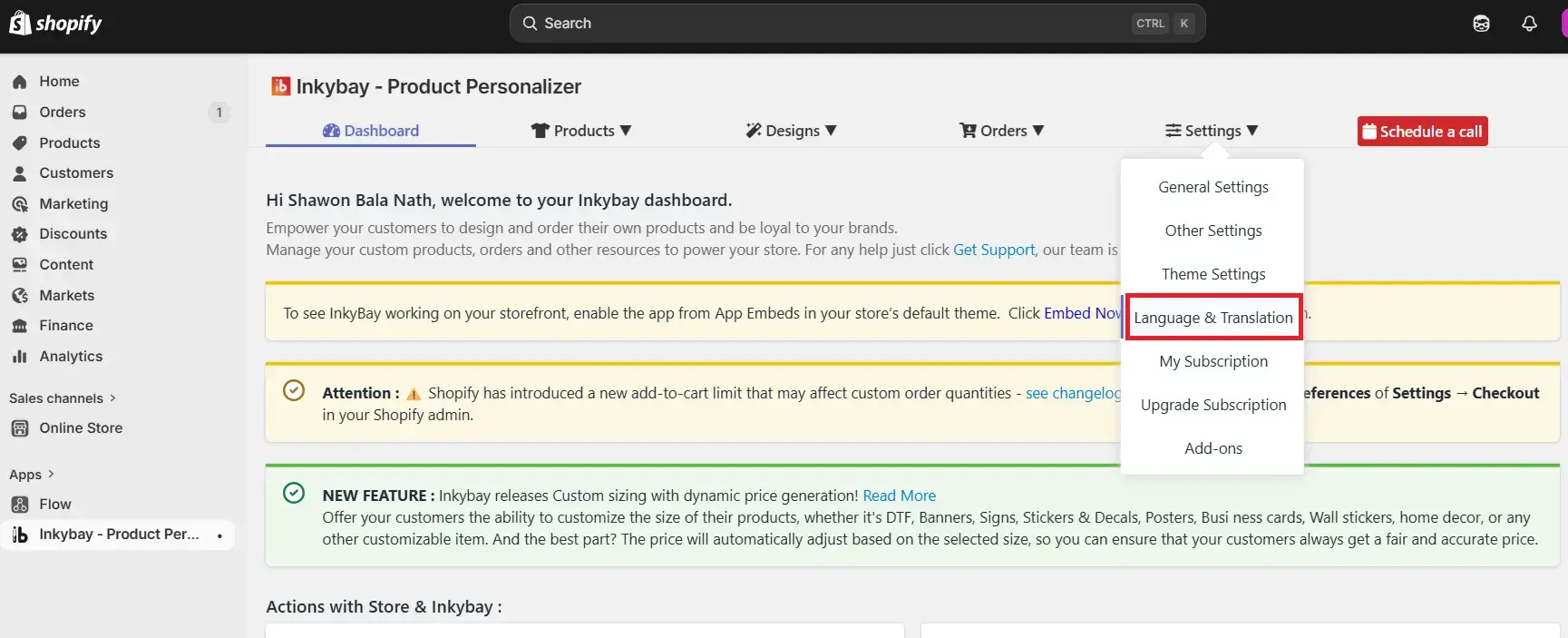
Step 2: Hover on “Settings” and select “Language & Translations.”
Step 3: Scroll down and find the quote information and change the information in the right-side panel “Translated Data”.
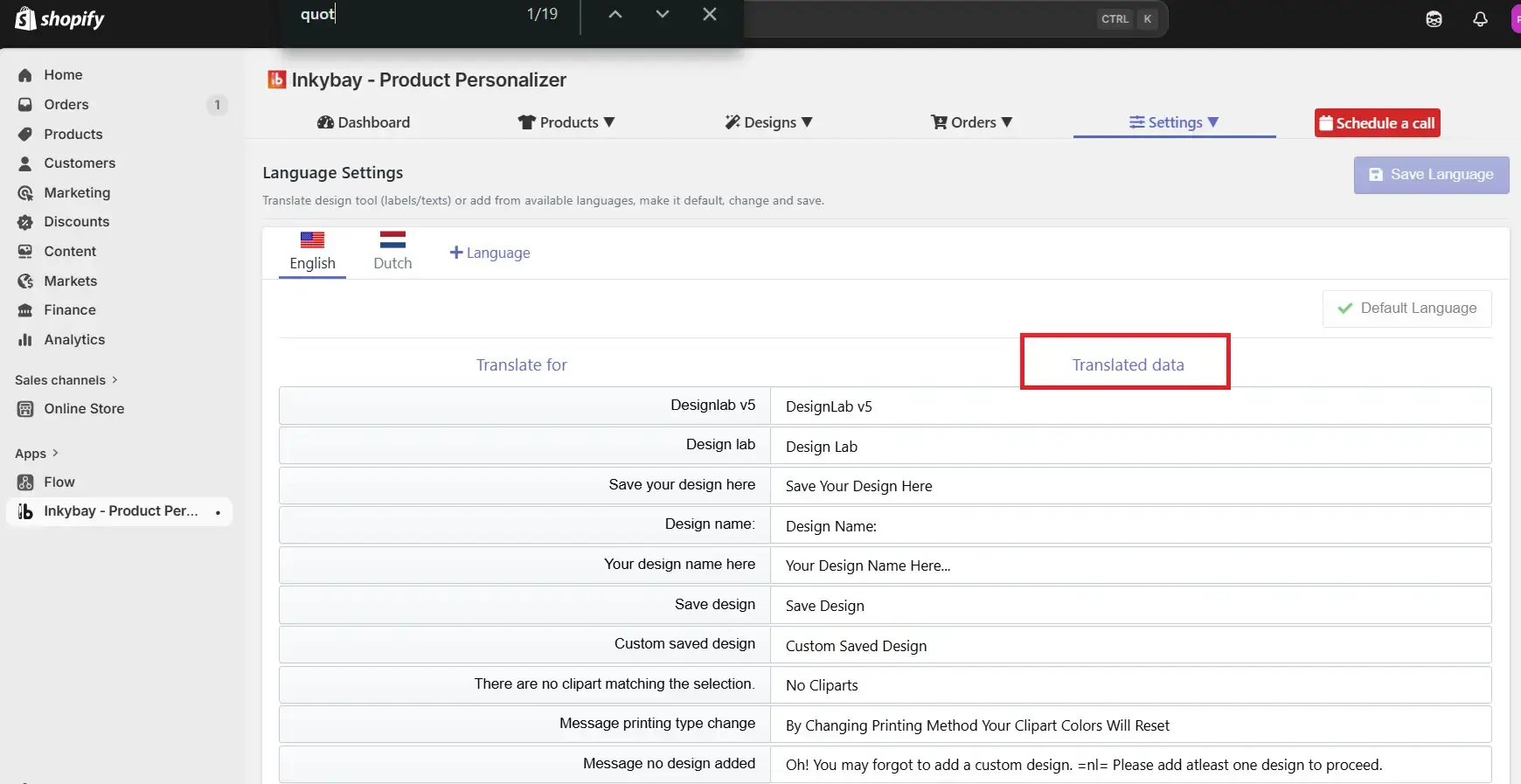
Step 4: After you are done with the changes, click “Save Language”.
Also, you can check out this video tutorial on how you can change the desingLab language.
 Getting Started
 Products
 Designs
 Templates
 Configuration
 Printing
 Orders
 Inventory Management
 Settings
 Packages
 Uninstallation
 Tutorials
 FAQ
FAQ