Category
 Getting Started
 Products
 Designs
 Templates
 Configuration
 Printing
 Orders
 Inventory Management
 Settings
 Packages
 Uninstallation
 Tutorials
 FAQ
FAQ 1 min to read
Last Update on 05 May 2026
How can I improve InkyBay's loading speed on the product page?
To improve InkyBay’s loading speed on product pages, optimize product images (using WebP formats), and add corrections to the product page liquid code. To do this, follow the steps below:
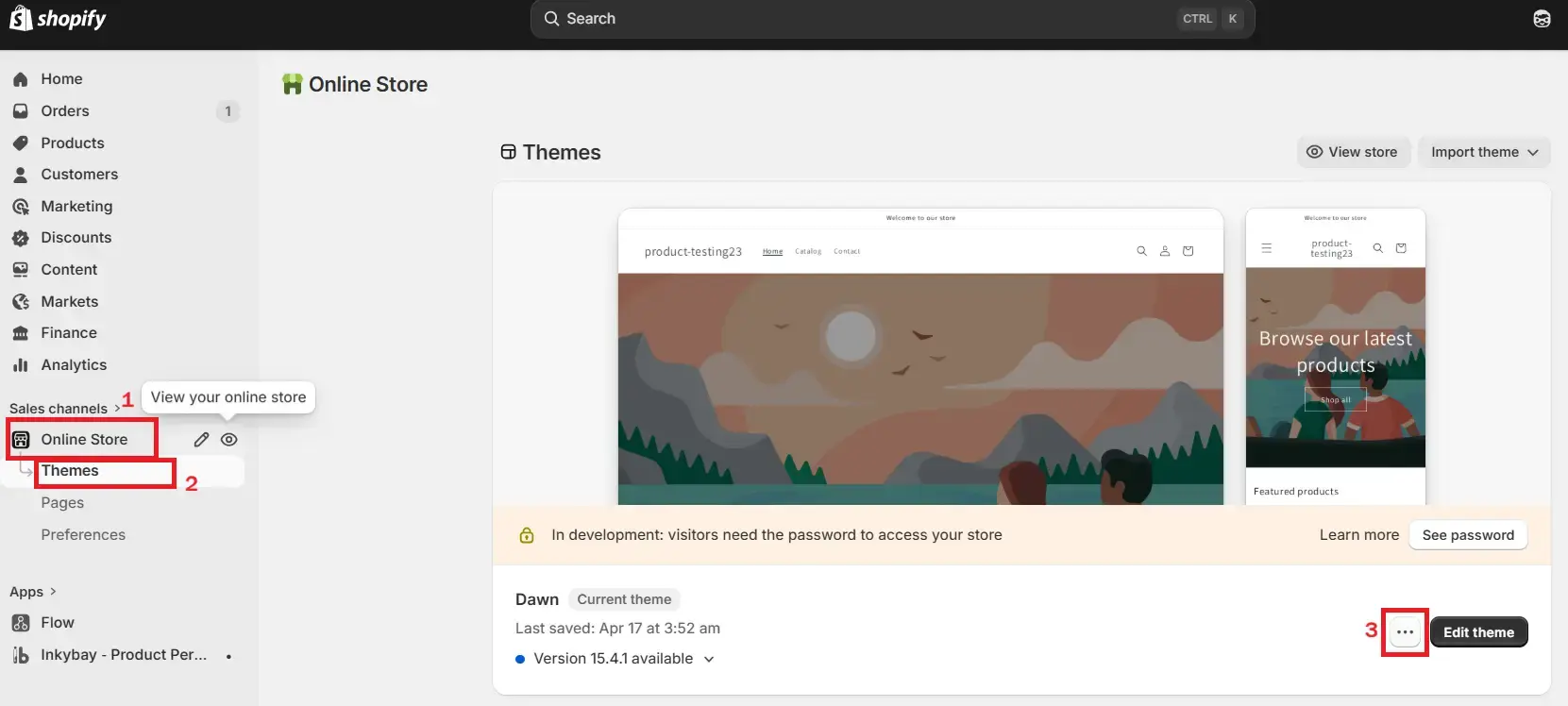
Step 1: Navigate to the Shopify admin panel and click “online store”. From the dropdown, select Themes and then click the 3 dots as shown in the image below.
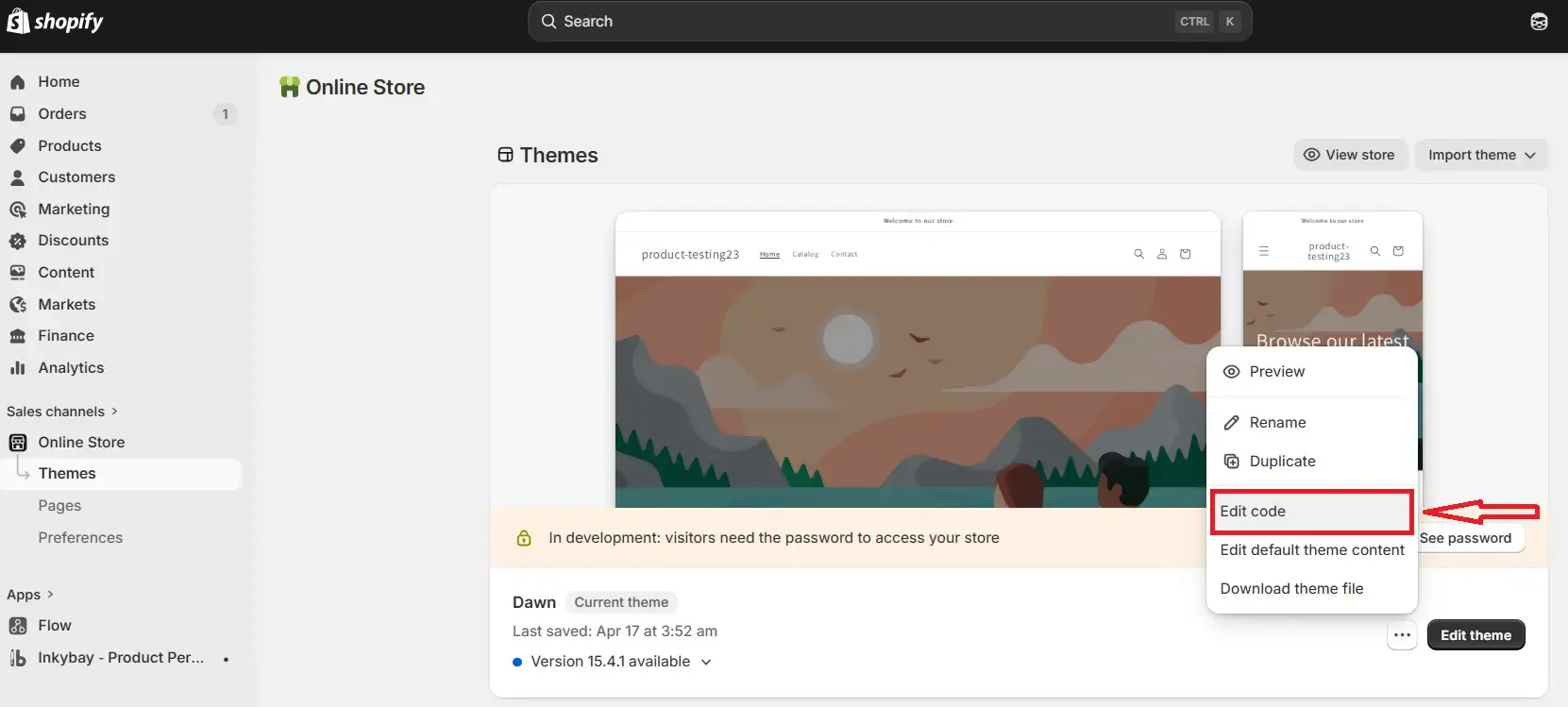
Step 2: Click the “Edit code” option.
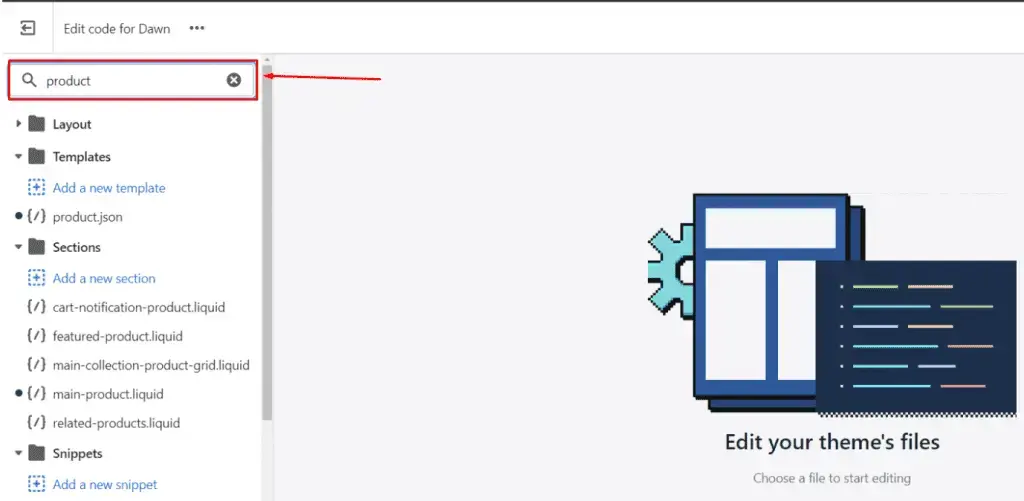
Step 3: From the search bar, write “product”. Here, you will see the liquid files that are related to products, and find the liquid file of the product page.
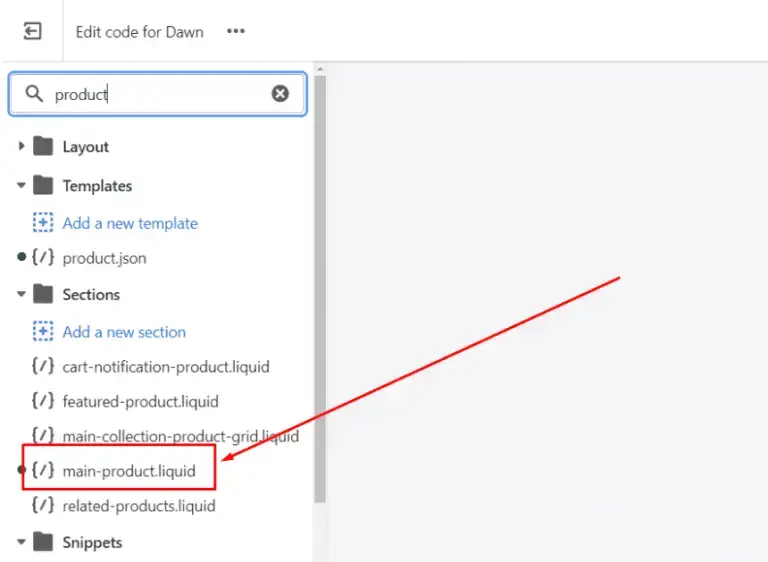
Step 4: Select “main-product.liquid” file (the title might be different as per your Shopify active theme).
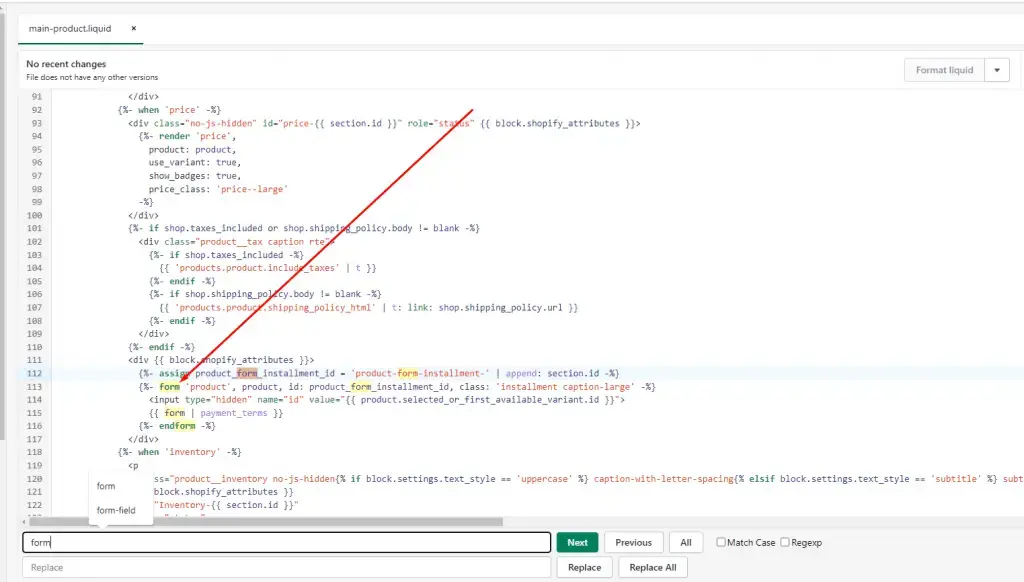
Step 5: Now, find out the “form” tag. Press Ctrl+F and the marked portion will show up.
Step 6: Press Ctrl+F, and a search field will pop up. Use it to find out the form tag.
Step 7: Now, copy and paste the given code right above it. (download the code).
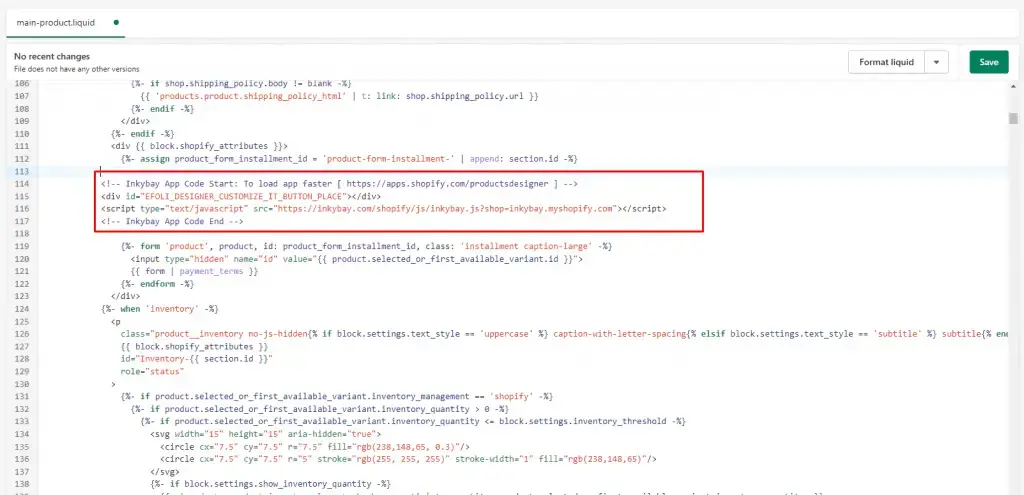
Step 8: Click the Save button to store the changes and check on your product page.
Did this post help you?